Bulk scheduling works when you write in one session and review in another, not when you schedule everything you wrote.
Cap the batch at what you can read twice before it goes out, and never let one bad batch fill a month.
Check the whole batch for repeated lines, stale facts and links before anything enters the queue.
Reread the queue as a list once a week, because a batch you forget is a backlog.
Bulk scheduling is the habit of writing a stack of posts in one sitting and putting them into a schedule. Done well, it removes the daily question of what to post and frees your time for replies. Done badly, it produces a month of posts that nobody reread, several of which are wrong by the time they go out.
The difference is not the tool. It is the order of work. Write in bulk, review in bulk, and schedule only what passes. In my experience, bad batches skip the second step, because the writing felt finished. This guide walks through the full process, with a worked example, the mistakes that ruin batches, and the checks that keep quality up.
Decidethesizeofthebatchfirst
A bulk batch is still automation when a tool publishes it for you. X's automation rules make the account owner responsible for the actions taken with the account or by any app connected to it, and they bar automated posts that are spam or duplicative. X's authenticity rules prohibit account manipulation and impersonation. Check the automated account labeling announcement to see whether your account needs a label.
The batch size comes from your review time, not from your writing time. Writing ten posts takes less time than reading them twice, and reading them twice is where the quality comes from. Before you write anything, decide how many posts you can review properly in one sitting, and let that number set the batch.
A simple rule is to cap a batch at the posts that fit your real slots for one or two weeks. If you post three times a week, a batch of six to eight covers the next two weeks and leaves room to change your mind. A batch that covers a month is almost always too big, because the later posts are written for a version of your account that no longer exists.
The earlier content calendar guide explains how to find the number of slots you can keep. Use that number here, not the number of posts you feel like writing on a good day.
Writing is one mode, and reviewing is another. Sit down for a fixed block, write the posts you need, and do not edit them yet. Mark each draft with its slot, its theme and the one fact or detail it depends on. That last note is easy to skip, and it is the reason a batch can be checked later.
If you have themes from your calendar, use them. Three themes across eight posts gives each theme two or three drafts, which keeps the batch from repeating one idea. If you have notes from the week, start from them. A specific note from a real conversation makes a better draft than an empty box, and it is easier to check later.
Keep the drafts in the drafts list, not in the schedule. A draft that lives in the drafts list is not yet a promise to your readers, and you can change it freely until the review pass.
The batch rules rest on a few checkable sources. X's developer guidelines prohibit identical cross-posting across accounts. X's automation rules also bar duplicative posts on one account or over several, and X's platform manipulation policy bars repeatedly posting identical or nearly identical posts. A copied batch on one account is the pattern to avoid. X's scheduled posts help page describes the Composer scheduling route. In PostMine, bulk reschedule appears only on the Scheduled tab. The character counting rule matters when a batch includes links, because each URL counts as 23 characters.
Reviewthebatchasaseparatepass
The review pass is where a batch earns its place in the queue. Give the batch a separate session, ideally a different time of day from when you wrote it. Read each draft aloud. Cut praise and filler, check the length against your account, and ask whether the post still says something you believe today.
Then read the batch as a whole. Single posts can pass while the batch fails, and the batch failure is easier to miss. Look for three things across the set:
Repeated lines. The same opener or closing sentence in three posts reads as a template to your readers.
Repeated structure. Five posts that all start with a question feel like one post repeated.
Stale facts. Any number, date or price needs a source you can open today.
Read each draft aloud. Cut praise, filler and any sentence that repeats the post before it.
Open every link and check every number against its source. A stale link in a batch is copied into every reader's timeline at once.
Read the whole batch as a list. Look for repeated openers, closers and structures across the set.
Move any time-sensitive post out of the batch. Write it close to the day it goes out.
Schedule only the drafts that pass. Leave the rest in drafts, or delete them, so the queue holds only what you would stand behind.
Aworkedbatch,withillustrativenumbers
The following batch is an illustration, not a real account. A solo founder wants to cover two weeks with three slots a week, so the batch needs six posts. She writes eight drafts, because two are backups for posts that fail the review.
Her review takes about 25 minutes for the whole batch. She cuts two drafts for praise and filler, and one draft for a link she cannot open. Two drafts repeat the same opening question, so she rewrites one. The six that remain go into the queue, and the backups stay in drafts for the next batch.
Atwo-weekbatch(illustration)
Slot
Draft
Reviewresult
Action
Week1,Tuesday
Buildlog:achangethatfailedintesting
Passed,onesentencecut
Scheduled
Week1,Thursday
Customerproblem:asupportquestion
Passed
Scheduled
Week1,Saturday
Opinion:adefendedview
Repeatedtheopenerofanotherpost
Rewritten,thenscheduled
Week2,Tuesday
Buildlog:areleasenote
Linkbrokeonreview
Replacedwithaworkinglink
Week2,Thursday
Customerproblem:arepeatedquestion
TooclosetoWeek1Tuesday
Movedtobackup
Week2,Saturday
Spareslot,leftopenonpurpose
Notscheduled
Roomforatimelypost
The table shows the pattern. The problems show up when the posts are read together, and they are cheapest to fix before the queue fills.
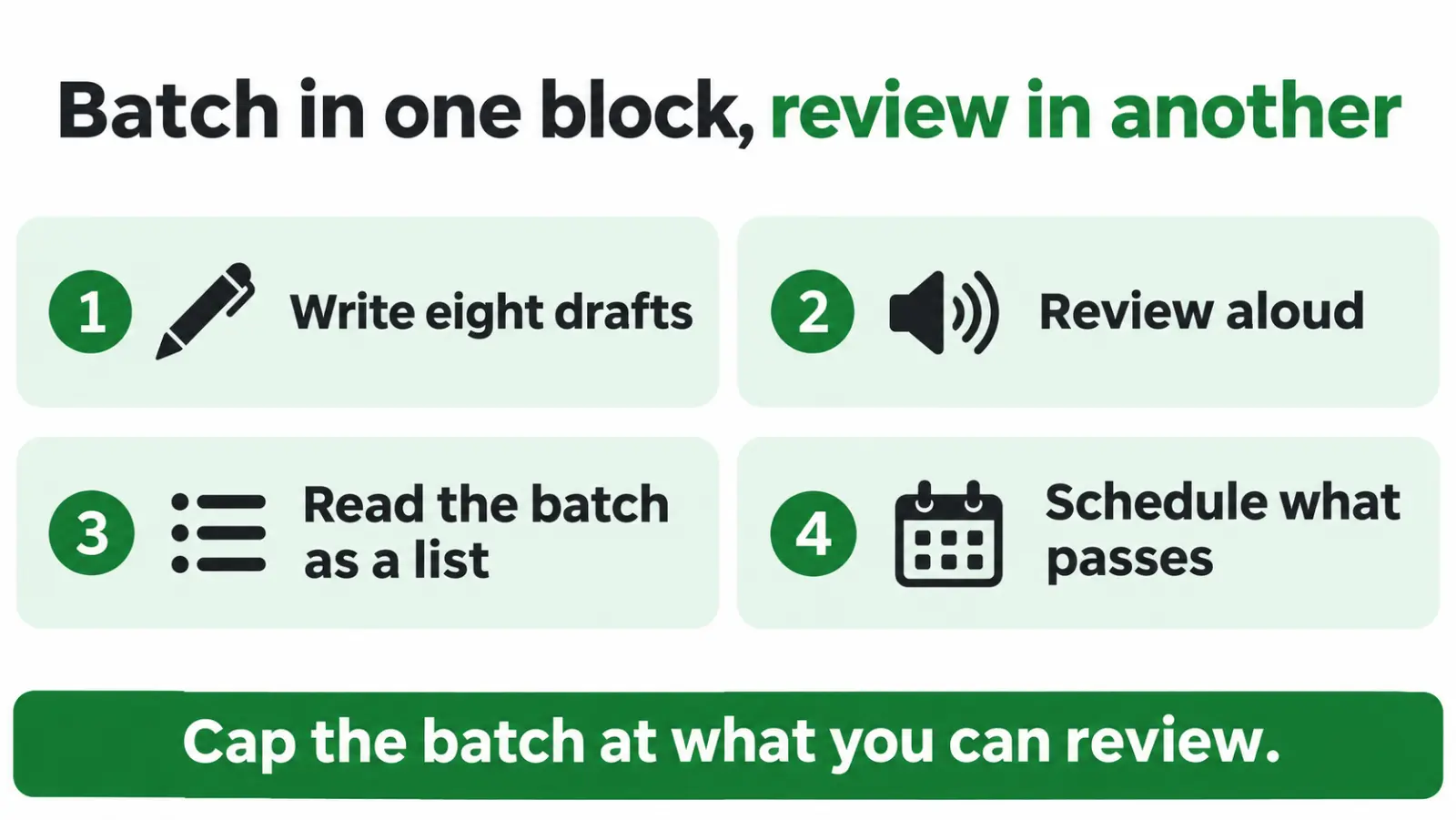
Sunday evening
Write eight drafts in one block
Monday morning
Review aloud and open every link
Monday noon
Read the batch as a list
Monday afternoon
Schedule the passing drafts
Friday
Read the queue as a list
Wherebulkschedulinggoeswrong
Mistake one: scheduling a month in one evening. The batch that is easiest to write is the one that is hardest to keep honest. A month of posts written in one session is written for the week you imagined, not the week you will have.
Mistake two: skipping the batch review. A draft that looked fine on the day you wrote it can read as a template after you have written five more. Without the review, the batch goes out as five copies of the same post.
Mistake three: batching time-sensitive content. A post about a launch date, a price or a news event expires. If it sits in a queue for two weeks, it becomes wrong without anyone noticing.
Mistake four: forgetting the links. Every link in a batch is a promise that the page still exists and says what you wrote. Open each link on the day of review, and again on the day of the post for anything important.
Mistake five: treating the queue as finished. A queue is a set of promises that still need checking. Read it once a week as a list, not as a calendar that looks full.
Works
Write in one block, review in another
Cap the batch at one or two weeks of real slots
Read the batch as a list before scheduling
Keep time-sensitive posts out of the batch
Avoid
Schedule a month in one evening
Skip the review because the writing felt done
Batch news, launch dates or prices
Trust a link you did not open on review day
Edgecasesthatchangethebatch
Threads. A thread takes one slot, but it is several posts to read. Read the whole thread in order before it enters the queue. If a thread publishes only in part, the post can stop partway. PostMine keeps such a post locked with Retry publish, Reuse as new draft and Delete, so you decide what happens next instead of the queue deciding for you.
Photos and media. A batch with images needs the image checked as well as the text. Open the image at the size it will appear, and check that nothing in it is stale.
Repeated topics across weeks. Two posts on the same topic a week apart are fine when they say different things. They are a problem when they say the same thing. Keep a short list of the topics in your queue, and check it before you add a new one.
A batch that needs an emergency change. If something changes after you scheduled the batch, reschedule or delete the affected posts. Do not leave a wrong post in the queue and hope nobody reads it.
Whatthereviewpasscatchesinpractice
Some batch problems are small, and they add up. A single post with a stale number is easy to see. Five posts that share a closing line are harder to see, because each post is fine on its own. The review pass is built to catch the second kind of problem, and that is why it reads the batch as a set and not as a stack of separate drafts.
Three kinds of finding come up again and again. The first is the opener that every post shares, such as a question or a word like "honestly" that appears in three drafts. The second is the claim that depends on a moment, such as "this week" or "today", which is wrong a week later. The third is the link that opened fine when you pasted it and now leads to a login page or a redirect. Each of these takes a minute to fix in the review pass, and each would take much longer to fix once it was live.
Keep a short list of what you changed during each review. After three or four batches, the list shows your own habits. If the same kind of fix appears every time, change how you write the draft, not only the draft.
WhatX'sownrulesadd
The X developer guidelines are written for apps and automated accounts, but two of their rules matter for any batch. They name identical cross-posting as prohibited, and they describe scheduled informational content as an allowed example for automated accounts. A personal batch of different, reviewed posts is far from what those rules target. A batch of the same text pasted again and again may read as the bulk posting those rules describe, so rewrite every post for its slot. The automation guide explains where the safe line sits for scheduling.
HowtoapplythisinPostMine
I build PostMine, which this article mentions.
PostMine's composer keeps a post as a draft until you schedule it, so a batch can sit in Drafts while you review it. You can schedule to your next free slot or to a time you pick. Drafts, Scheduled and Sent keep every post. Bulk reschedule appears only on the Scheduled tab, so move a draft into Scheduled first, then reschedule it in bulk.
The queue shows Drafts, Scheduled, Posted and Failed in a list or a calendar. Nothing publishes unless you slide to publish or set a schedule you chose. PostMine respects X's official API limits, and a failed target is reported without changing a target that already succeeded.
For the rest of the scheduling setup, the scheduling guide covers how to test the scheduler before you rely on a batch. The calendar guide explains how to choose the slots a batch fills.
Enough for one or two weeks of your real slots, and no more than you can read twice. A batch of ten you review properly beats a batch of forty you skim.
Schedule a thread as one item, and read it in order before it enters the queue. If a thread publishes only in part, PostMine locks it with Retry publish, Reuse as new draft and Delete, so check the whole thread before you rely on the schedule.
Stale or repeated posts. The batch looks fine on the day you write it, and two weeks later a fact has changed or two posts say the same thing.
No. Keep news, launch dates and prices out of the batch, and write those posts close to the time they go out.
We use cookies for product analytics to improve PostMine. With your consent we also record session replays, including the content you type and view, such as draft posts (passwords excluded), so we can see how the product is used and fix what breaks. Privacy Policy




 Yerkebulan RakhimovNov 9, 202610 min read