X's scheduled posts help page, checked 2026-11-10, describes scheduling in the Composer on ads.x.com and does not mention threads. Check your own account before you rely on it.
Test the native option with one harmless post before you build a routine on it.
A tool earns its cost when you need threads, a weekly slot grid or a review step.
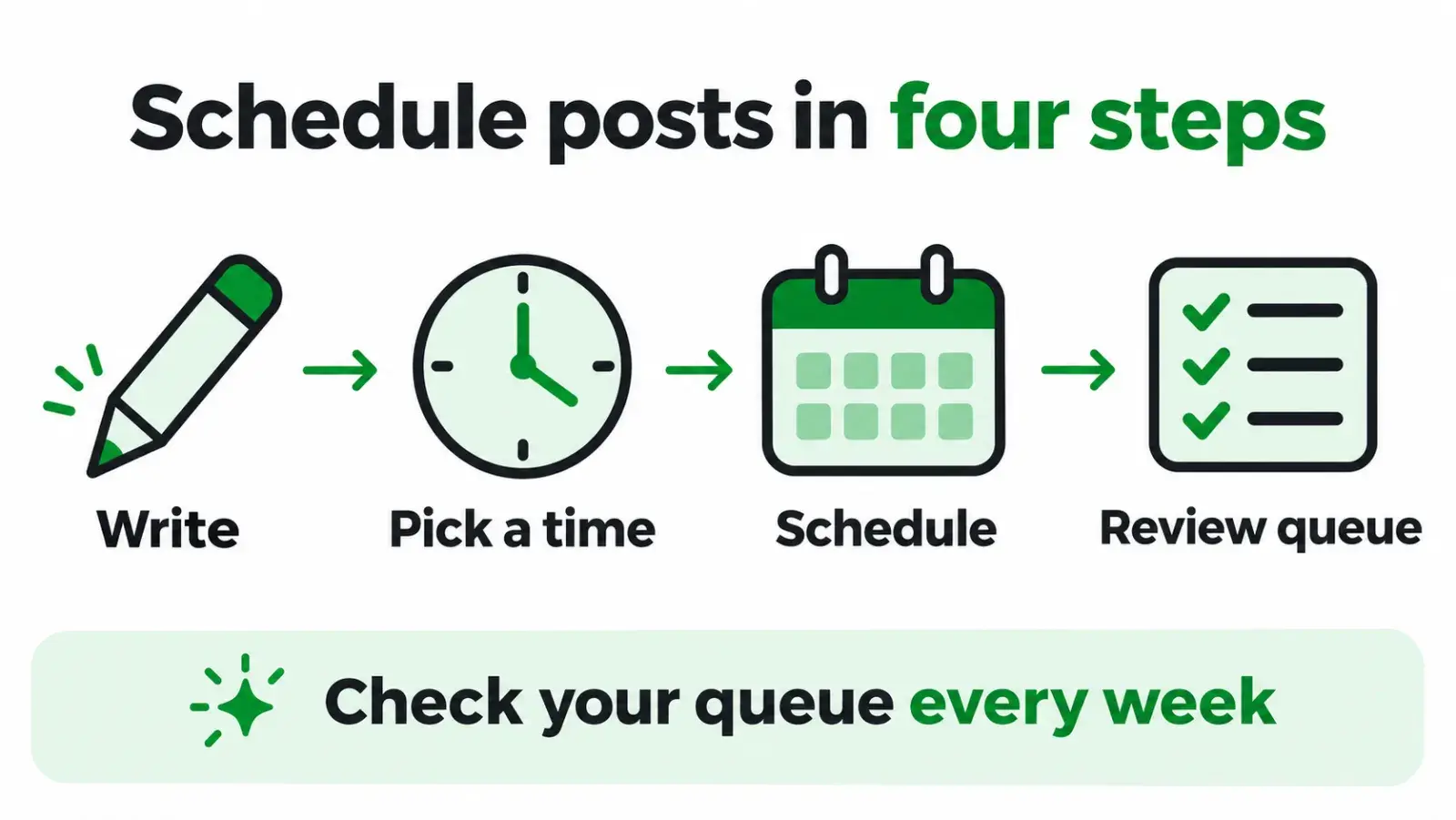
Check the queue once a week. A schedule you never reread turns into a backlog.
Scheduling does one job well. It lets you write when you have the time and publish when your readers are around. Writing and posting become two separate steps. That split is most of the value. The real questions are which setup gives you the split with the least friction, and whether X's own option is enough for you.
You can pay for a tool, connect your account and only later find out what the tool cannot do, or what X's own option already covered. This article goes the other way round. First you test what your account already has. Then you decide whether a tool earns its place, and which features it must have. Each step is short, and the first test costs one post.
The claims in this article rest on three sources. X's Help Center page on scheduled posts describes scheduling in the Composer on ads.x.com. Its video overview says you can schedule organic and Promoted-only posts, and its Scheduled view shows "all Posts that are currently scheduled." A dated observation from 2026-11-09: the x.com web composer showed a "Schedule post" button for a normal account. The X developer guidelines set the boundary for automation, including scheduled informational content as an allowed example and identical cross-posting as prohibited. I build PostMine, which this article mentions, and its documentation covers the queue features the product offers. Where a sentence depends on one of these sources, the link sits in that sentence.
WhatX'sownschedulercovers
Native scheduling is a feature you can check in your own account. The scheduled posts help page describes one post at a time in the Composer on ads.x.com, and its video overview names organic posts as well as Promoted-only ones, so check whether the option appears for your own account before you plan around it.
Hootsuite's guide describes the split directly: you can schedule posts through X, or use a tool for features such as bulk scheduling and cross-platform analytics. Bulk is where the native composer stops. Hootsuite's bulk composer takes a CSV of up to 350 posts, and Sprout's bulk import takes up to 350 messages per import on Professional and Advanced plans, spaced at least 10 minutes apart. Sprout's Queue is built for content that is not time-sensitive, and it can pick times with Viral Post or Manual Times.
X's Help Center page on scheduled posts describes scheduling through the Composer on ads.x.com. That matters for two reasons. The option is tied to X's advertising tooling, so it is not a button that every account is guaranteed to see. And the page is a description of the feature, not a promise that it fits your routine.
So the first job is simple. Open the Composer in your own account and confirm the scheduling option appears. If it does not appear, you have learned your answer without spending a day on it.
That page, checked 2026-11-10, does not mention threads, so it does not say whether a thread can be scheduled as one unit. Do not build a weekly routine on threads until you have scheduled one on your own account and read it back in order.
Mobile is a separate question. Benji Taylor posted on X on September 5, 2026 that scheduled posts were beginning to roll out on mobile, and the post names no operating system (Benji Taylor on X, checked 2026-11-10). Roboin found the option in the iOS app and not in its Android test (Roboin, checked 2026-11-10). The mobile guide covers the test on a phone.
Testthenativeoptionwithonepost
One post tells you more than a guide. A single test costs almost nothing, and it shows the problems that cause trouble later: the timezone shown on screen, the timestamp that goes live, and whether you can find and change the post afterwards.
Write a harmless post. Use something you would post anyway, with no link and no media. The test should isolate the scheduler, not the content.
Schedule it 15 minutes ahead. Use the time you see on screen, and write down the timezone it shows. Do not trust your memory of your own timezone.
Check the live post. When the time passes, confirm the timestamp matches the time you chose, not the time you guessed.
Find it in the scheduled list. Edit the post once, then schedule a second test post and delete it. If either step fails, you have your answer before you build anything.
Day 1
Schedule one harmless test post
Day 1
Confirm the live timestamp
Day 2
Edit one scheduled post and delete another
Week 1
Run a small routine
Week 2
Add real posts and a weekly review
If every step works, you have a base for a small routine. Keep the routine small until it has run for a few weeks without a surprise. Adding volume before the first month is over is how a bad timezone or a forgotten post gets found late.
Common mistakes in this test:
Testing with a link. A link changes the post and can change how it is handled. Test the scheduler with plain text first.
Scheduling three hours ahead and forgetting. The test is only useful if you check the live post at the time you chose.
Judging the feature from one good run. Run it at least twice on different days, once in the morning and once in the afternoon.
Confusing a draft with a scheduled post. A draft is not queued. Check the scheduled filter to confirm what will go out.
Aworkedweek,beforeandafter
The following week is an illustration, not a real account. A made-up founder, Ana, writes three single posts and one thread a week, and she wants each post to go out at 10:00 on the days she picks.
On Sunday evening she writes four drafts. On Monday morning she reads each one as a reader would, opens every link and cuts anything that repeats her last post. She schedules the three single posts for Tuesday, Wednesday and Thursday at 10:00. The thread is tied to a launch, and X's scheduled posts help page does not say whether a thread can be scheduled, so she posts it by hand on Thursday at the time she has set aside.
That one week shows the split in practice. The writing happened once, the reading happened once, and the posting happened at the times she picked. The thread stayed manual because the help page does not settle whether a thread can be scheduled, and a test on her own account would settle it. That is a good outcome: the test told her where the limit is instead of letting a surprise decide.
| Step in the week | Native X scheduling | Scheduling tool |
|---|---|---|
| Write the drafts | Same in both: you write them | Same in both: you write them |
| Read and check links | Your own review | Your own review, plus any built-in preview |
| Schedule singles | Works if the option appears for your account | Works on the account you connect |
| Schedule a thread | Not stated on X's scheduled posts help page (checked 2026-11-10); test before you rely on it | Check the tool's own thread support |
| Review the queue | You check the scheduled list | You check a queue or calendar view |
Threeroutes,andwhateachonecostsyou
There are three routes, not two. The third route is worth testing first: you draft in your notes, post by hand at a time you set in your calendar, and leave the scheduler out of it entirely. It costs attention at the posting time, and it shows how many posts you actually publish when you are present, which can be fewer than the plan said.
Each route has a failure mode. The native option fails quietly when the option is missing from your account. A tool fails when a connection expires or a plan lapses, so the queue stops without a warning you read. Manual posting fails when you are busy. Name the failure you can live with before you choose, because the choice is really about which failure you would rather check for.
If you cannot decide, run manual posting for one week. Note each planned post and whether it went out at the time you intended. The count tells you whether you need a schedule at all, and the misses tell you what the schedule has to fix.
Decidewhenatoolearnsitsplace
A tool is for the workflow, not the button. The scheduling button is the same idea everywhere. What changes is what happens before and after it. The tool question reduces to three needs: threads, a standing weekly grid of time slots, or a review step between a draft and a post. If you need none of them, the native option may be enough for now.
The table is about fit, not ranking. A tool with a richer queue is not better if you post three times a week and never use the extra features. Pick the smallest setup that covers the steps you repeat every week.
A few questions help you judge any tool, native or not:
Can you read and edit every queued post, not only the next one?
Does the queue show failed posts, so a missed publish does not hide in a list?
Can you see the timezone the tool uses, and does it match your own?
What happens to the queue if the connection to your account expires? Ask before you connect it, not after a missed post.
Does it use X's official API? The developer guidelines say that scraping and browser automation can lead to permanent suspension, so a tool that works through a browser is a risk you carry.
The last point is easy to skip. Read the X developer guidelines before you connect any tool. They list the official API as the only permitted route for automation, and they name browser automation and scraping as prohibited.
Usethequeueasaweeklycheck
The risk shifts from posting to forgetting the queue. Once a schedule exists, the failure is no longer forgetting to post. It is forgetting what is already queued. A post about a launch that already happened does more harm than no post at all, and a stale link can outlive the page it pointed to.
Open the queue once a week and read each post as a reader would. Open every link. Remove anything that went stale, and check that each post still matches what you believe this week. Ten minutes on one day beats a rushed hour every evening. If you keep a weekly review, the queue stays a tool. If you skip it, the queue becomes a backlog you feel guilty about.
A review pass that works in practice has three questions. Is every fact in the post still true? Does every link open to the right page? Would you still stand behind this post if a stranger quoted it back to you tomorrow? A tool cannot answer any of those for you, which is why the review belongs to you and not to the queue.
Whenascheduledpostfailsorgoesoutwrong
A failed post is a state to check, not an error to repeat. A post can fail to publish because a connection expired, a link was rejected or the tool hit a limit. Before you do anything, check whether the post exists on your profile. Retrying a post that already went out creates a duplicate, and a duplicate of a timely post is worse than a missed one.
Work through the same three steps every time. First, open the failed list and read the reason the tool gives. Second, check your profile for the text. Third, decide whether the post is still worth sending. A post that failed at 10:00 may be stale by noon, and a post that failed because of a link you have since fixed may need a new check, not a retry.
If a post went out wrong, edit it or delete it, and do not argue with a reply that points out the mistake. Fix the error, say so briefly if it matters to readers, and add the failure to your weekly review so the same cause does not return. A scheduler does not replace a review. It only makes the next error easier to find.
Edgecasesthatbreakschedules
The schedule problems below are edge cases you can plan for once.
Time zones and travel. A post set for 10:00 is 10:00 in the timezone the tool shows. If you travel, the same slot lands at a different hour for you and at a different hour for your readers. Decide which timezone your audience lives in, schedule in that timezone, and write the timezone down in your review notes.
Clock changes. When daylight saving time changes in your region, a recurring slot can shift by an hour in your head but not in the tool, or the other way round. Check the first post after each change, not only the routine.
Timely posts. A post about a date, a price or a launch date should not sit in a queue for two weeks. Schedule it only when the date is close, and reread it on the day it goes out.
Links that change. A link you checked on Monday can break by Friday. The weekly review is the place to catch it, which is why it is not optional.
A failed post in the middle of a series. If one post in a series fails, do not publish the rest as if nothing happened. Read the series as a reader would, and fix the gap first. This is a reason to keep series short.
A queue that grows faster than you review. If your queue holds more posts than you can read in one review session, the schedule is too large. Cut it back to what you can review, not what you can write.
Aone-pageruletopinnexttothequeue
A written rule survives a busy week. Copy these lines into the note you keep next to your queue, and read them before you schedule anything new.
Schedule only what you read twice on the day you schedule it.
Check the timezone on screen against your audience's timezone.
Open every link in the post, from the same browser you use to publish.
Keep at least one slot open each week for replies.
Check the failed list and the scheduled list at the weekly review.
Never retry a failed post until you have checked whether it already went out.
A rule of six lines is enough. If you find yourself adding a seventh line every week, the schedule is too big, and the fix is to cut the volume, not to add rules.
Whattherulessayaboutscheduling
The X developer guidelines describe automated accounts, and they treat scheduled content as an allowed example. In the content table they list "Automated account posts scheduled content (news, weather, quotes)" as allowed, with the reason "Informational, no unsolicited mentions". The same table forbids identical cross-posting across accounts, and X's platform manipulation policy bars repeatedly posting identical or nearly identical posts, including on one account. It also names unsolicited mentions as prohibited.
Two points follow for a founder. First, the allowed example is about automated accounts posting informational content, and it does not say that a person who schedules their own approved posts is breaking a rule. Second, the restrictions that do matter are the ones on mentions, identical cross-posting and anything that looks like spam. My reading is that scheduling your own reviewed posts sits far from those restrictions. Check the current rules yourself rather than relying on my reading, and read the automation article before you connect a tool that does more than publish.
Schedulingthroughalaunchorabusymonth
A busy month needs a smaller queue, not a bigger one. When a launch, a trip or a client deadline arrives, the temptation is to schedule the whole month in one evening so nothing is missed. That is the pattern the cons list below warns against. Schedule the launch week in its own block, and reread every post on the morning it goes out. Keep the rest of the month at its normal volume, and leave the open slots open.
Schedule no more than a week ahead during a launch, so a change in the product, the price or the news can still reach the queue before it publishes. Replace anything that no longer holds. A scheduled post that is wrong on the day is a problem the queue created, not one the tool solved.
Keeptheschedulehonest
A schedule is a promise to check. Good scheduling habits are small. Read the post twice, check the timezone, and keep a few slots free for live replies. Keep the volume small enough that you can check all of it.
Works
Schedule a post you have already read twice
Check the timezone shown before you confirm
Remove stale posts during the weekly check
Keep a few slots open for live replies
Avoid
Schedule thirty posts in one evening and forget them
Trust the timestamp without a test post
Schedule links you have not opened
Fill every hour so no time is left to reply
Keep the queue in a shape you can reread. A calendar of three to five posts a week is easier to keep honest than a calendar of thirty. The content calendar guide covers how to pick the slots, and the timing guide covers how to choose the windows from your own data rather than from a list.
X's scheduled posts help page, checked 2026-11-10, does not mention threads, so it does not say whether a thread can be scheduled. Test a thread on your own account, read it back in order, and only then build it into a routine.
X's developer guidelines describe automated accounts and give scheduled, informational content as an allowed example. They forbid bulk and automated likes, follows and unsolicited replies. Read the guidelines before you script anything beyond scheduling your own reviewed post.
Only if your workflow needs something the native option lacks, such as threads, a weekly grid or a review step. A few single posts a week rarely justify a paid tool.
Far enough to keep a steady rhythm, and close enough that you can reread each post before it goes out. Pick a window that fits your weekly check, and shorten it for anything tied to a date.
We use cookies for product analytics to improve PostMine. With your consent we also record session replays, including the content you type and view, such as draft posts (passwords excluded), so we can see how the product is used and fix what breaks. Privacy Policy




 Yerkebulan RakhimovNov 9, 202611 min read