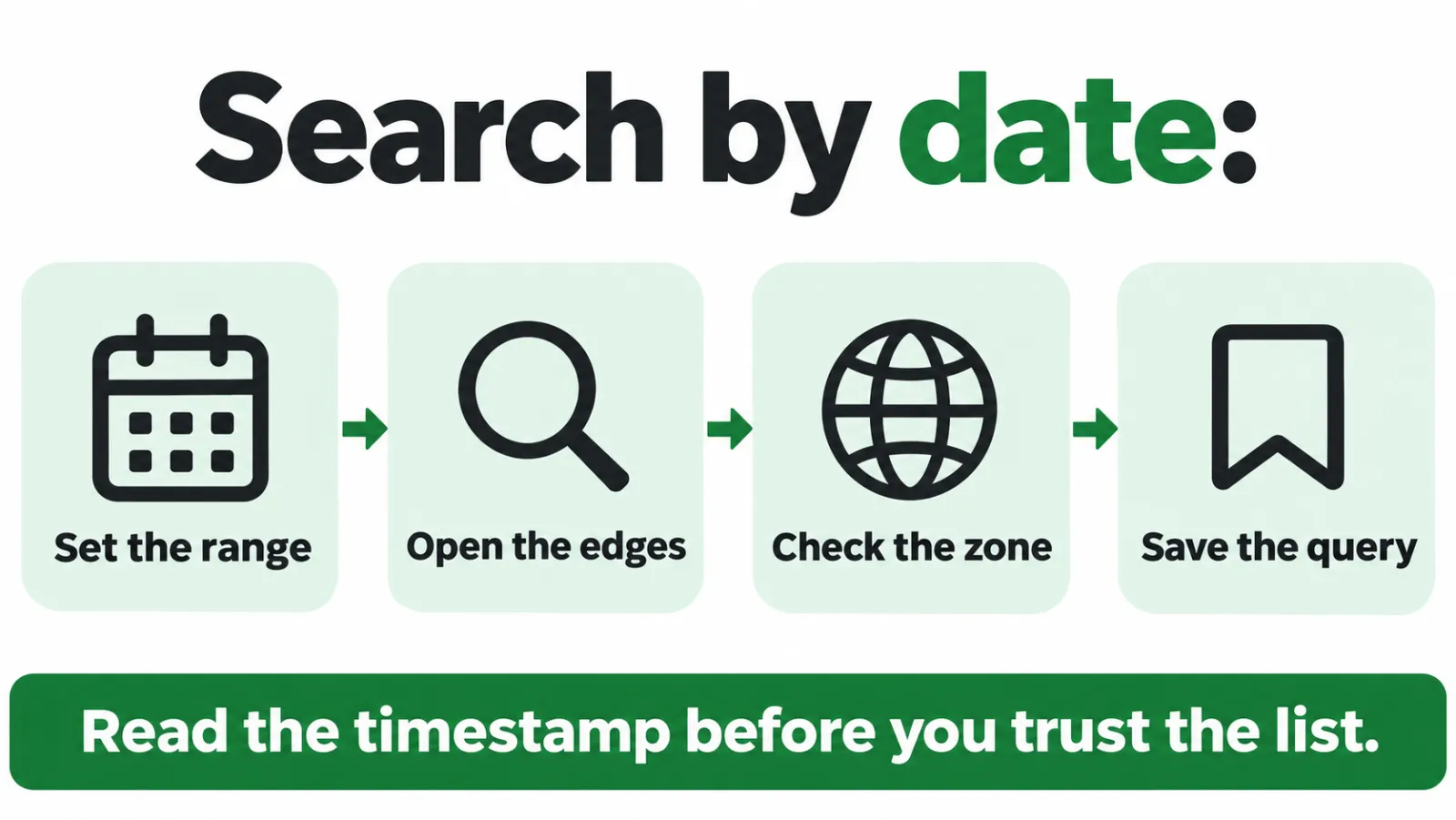
A date search is only as good as the timestamps you check. Open a few results before you trust the list.
Use a range wider than the event, then narrow it. A one-day range hides the posts that fall on the edges.
Time zones decide which day a late post belongs to. Read the time on each result against the zone you work in.
Save the date range with the query, so you can rerun the same search later and compare the results.
A question about the past on X is a date question. What did people say about a product when it launched? Did the complaints about a price change start on the day the price changed, or a week later? Which posts about a topic appeared during the month a competitor raised money? A search with a date range answers these questions, but only if you read the dates carefully. A date filter is simple to set and easy to misread.
This guide covers how to set a date range, how to check the timestamps that come back, how time zones and range edges change the answer, and how to compare two periods without fooling yourself. It is a companion to the advanced search guide and to the operators cheat sheet, and it focuses only on dates.
Settherangeinoneoftwoways
X's search offers two ways to limit a query to a period: the advanced form, and typed operators in the search box. The since: and until: names used in this guide are the web search operators as I found them in guides; they are not listed in the X developer operator reference. The developer search uses start_time and end_time parameters instead, as the full-archive tutorial shows. Confirm the web names in your own app before you save a query.
The operator form is the one to save. It is one line, easy to edit and easy to paste into a note. A query that a teammate can run and get the same list from is worth more than a form that you filled in once and cannot reproduce. A typical date-limited query looks like this: (newsletter OR newsletters) pricing since:2026-09-01 until:2026-10-01 lang:en -is:retweet.
The table is a checklist rather than a rule. The point is that every range needs a check at its two edges. If the first or last day looks thin, the edge is probably the cause, not the topic.
A list of results looks like evidence. It is evidence only for the posts it contains, and only if those posts fall in the range you intended. Open three to five results from the first day, the middle and the last day. Read the timestamp on each one. If a post from outside the range appears, the query is not doing what you think. If every timestamp is inside the range, you can trust the list more, but still only as a sample.
Keep a record of what you checked. A short note such as "checked three posts on each edge, all inside range" tells your future self, and your colleagues, that the list has been read rather than just scrolled.
512
Characters in a recent-search query, available to all developers, so keep saved date queries short
The numbers above matter when a date query moves into an API tool. A query with a long list of exclusions and two date operators can reach the limit quickly, so keep the saved version short.
Timezonesdecidetheday
A date depends on the time zone you read it in. A post published late in the evening in one country can fall on the next day in another, so check the time on each post against the zone you work in before you decide which day it belongs to.
This matters most for launches and announcements. A company that announces at nine in the morning in one country is announcing at the previous evening in another. If you are measuring the reaction to an announcement, widen the range by one day on each side, and then check the first post that mentions the announcement. That post tells you the real start, and it is often earlier than the post people remember.
Day -1
Widen the range by one day on each side
Day 0
Find the first post that names the announcement
Day 1-3
Read the peak and the decay
Day 7
Compare with the same weekdays one month earlier
The timeline is a method, not a result. It shows how a date search can be run around an event so the start and the decay are visible. Each stage has a check, and each check is a timestamp, not an impression.
Edgecasesattheboundaries
A post published at the exact boundary of a range can be counted or missed, depending on how the range is applied. Do not use the boundary day as the only evidence for a conclusion. Use a range that includes the days either side of the event, and compare the result with a narrower range. If the posts that matter appear in both, the boundary was not the cause. If they appear only in one, check the edge posts individually.
Another edge case is a quote post. A quote can be shown with its own date even when the text it quotes is older, and a search may return the quote as the matching post. When the date of a claim matters, open the original and check its own timestamp.
A list shows what the search returned on the day you ran it. Keep the run date in your note, so a later rerun that returns a different list is not mistaken for a change in the conversation.
Comparetwoperiodsfairly
A common question is whether a topic got louder or quieter. The answer depends on the comparison. Compare the same length of range, using the same query and the same weekdays. A two-week window in one month against a weekend-heavy window in another will show a difference that is about the calendar, not the topic.
Write down any event in either period. A product launch, a news story or a holiday can change the volume of posts about almost anything. A comparison with the event noted is useful, because it tells you which difference the event explains and which one needs another explanation. A comparison without the note invites a story that the data cannot support.
Works
Same length of range, same query, same weekdays
A saved query and a written time zone
Edge posts opened and checked by timestamp
Avoid
Two periods of different lengths with no note
One day as the only evidence for a trend
Reading the first page of results as the whole picture
Commonmistakeswithdatesearches
Trusting the list without opening it. A date range is a filter you set, and filters can be set wrong. Open the results.
Using a one-day range and drawing a trend. One day is a sample of one day. Widen the range for a trend.
Ignoring the time zone. A post can belong to a different day depending on where you read it.
Forgetting the boundary. Check the posts on the first and last days.
Mixing a quote with an original. A quote can show a new date. Open the original when the date of the claim matters.
Comparing unequal periods. Use the same length and the same weekdays, or the difference may be the calendar.
Not saving the query. A search you cannot rerun is a search you cannot check.
Savethequeryandthedatewiththeresult
The most useful habit is to save each date search with three things: the exact query, the date you ran it, and the time zone you read the results in. Later, you can rerun the query and see whether the list has changed. A list that changes is itself a finding, because it means posts were deleted, reclassified or added after the first run.
Save the result summary too, but keep it short. Count the posts you read, note the first and last timestamps, and record one sentence about what you saw. A summary that says "twelve posts, all inside the range, most on the first two days, one event on day one" is more useful than a screenshot of the list.
Developers who want the same historical range on every run send it as a request to the full-archive search, using the start_time and end_time parameters. Full-archive search is for pay-per-use and Enterprise customers, according to the search introduction. The X developer tutorial on getting historical posts with full-archive search shows that request, although it describes an Academic Research track for full-archive access. This article follows the introduction on access.
Whatthedatefieldsontheformoffer
The advanced search form has a dates section, and the Help Center's advanced search guide describes three options: posts sent before a specific date, posts sent after a specific date, and posts within a date range. You pick the dates with a calendar dropdown, where you choose a "from" date, a "to" date, or both. The same page says that you can search "from any date since the first public post", which means a search with no start date reaches back to the start of the account's public history.
Those three options cover the usual questions, but they answer different ones. A "before" search tells you what was said up to a point, which is useful for checking whether a claim was already made. An "after" search tells you what has happened since a change, which is useful for a reach review. A range is the choice when you want to compare two periods, because you can run the same keywords twice and read the two lists side by side.
Be precise about the boundary. Write down whether your range includes the day you typed, because a result list that ends on a date can look complete when it is one day short. If the search matters, run the range one day wider and check whether the extra day adds anything.
The searchable record is also subject to the same limit as any other search. The X search policies say that an account can get filtered from search when it repeats or near-duplicates content. A date range can look thin for that reason as well as for a quiet period, so do not read a short list as proof that nobody posted.
Whyadaterangecanlookthin
A date range can return fewer posts for reasons that have nothing to do with the topic. The X Help Center page on search says the platform may not show every post in search results, and lists reasons, such as protected posts, which are visible only to approved followers. The public and protected posts guide also says that protected posts do not appear in third-party search engines, and that posts that were public and later protected are no longer public or in public search results. A date range that spans a change of protection setting can therefore look different from one that does not.
Build the query in the form and then translate it into operators if you need to reuse it. The build-a-query guide and the operator reference describe the syntax, and a date range in the form is the same filter as the date operators in the reference. Keep the two side by side in your notes when you run a range twice.
Save the posts you find in a date range that matter for a later check. The bookmarks guide says bookmarks are private and viewable only to you, so the saved list stays with your account and is not shown to others.
WherePostMinefits
PostMine's Analytics page shows your own account's trends over time, and you can import an X account_overview CSV to load past days. That is the right tool for questions about your own posts across dates. A date search on X answers questions about the public conversation. The two answer different questions, so keep them apart when you write a conclusion.
If you want to act on a conversation you find in a date range, the reply is still yours to write. The product does not post on your behalf, and nothing goes out without your confirmation.
Yes, with a date range that starts and ends on that day. Check the timestamps of the results, because the end of a range can be read differently from what you expect.
Add a range when the question is about a period, and read the timestamps on the results to check that the range did what you intended.
No. A search returns the posts the index matches for your query, and some posts do not appear in search at all. Treat the list as a sample.
Use the same length of range, the same query and the same weekdays. Note any event in either period, so you can explain a difference instead of guessing at it.
We use cookies for product analytics to improve PostMine. With your consent we also record session replays, including the content you type and view, such as draft posts (passwords excluded), so we can see how the product is used and fix what breaks. Privacy Policy




 Yerkebulan RakhimovNov 9, 20264 min read