Operators narrow a search by a post attribute. Combine them, then check the first results.
Some operators cannot stand alone. A query made only of has or is filters returns an error or too much.
Brackets and OR change the meaning of a query. Write them explicitly instead of trusting the order.
The web and developer names differ for engagement filters. Check the name before you paste a query.
Operators are the short words that turn a search box into a research tool. They tell X to match a post by its author, its date, its language, a phrase, a link or a number of likes. A query that uses two or three of them returns a list you can read. A query that uses none returns posts that match the term without a narrowing rule, which is rarely what you need.
This cheat sheet covers the operators that matter for founders: the ones that find conversations, check a claim, or track a topic over time. It explains how they combine, which ones cannot be used alone, and what breaks a query. The advanced search guide covers the form, which lists the fields you can set. This page is for when you want to write the query yourself.
Theoperators,bywhattheymatch
The X developer operator reference lists the operators for its search endpoints (checked 2026-11-10). The grouping below follows that reference, with a plain description of each one. Where the web search and the developer search use different names, the difference is noted in the next section.
Operatorsbywhattheymatch
Group
Operator
Matches
Standaloneorneedsaterm
Words
keyword
Awordinthepostbody
Standalone
Words
"exactphrase"
Thephraseastyped
Standalone
Accounts
from:
Postswrittenbyoneaccount
Standalone
Accounts
to:
Repliestooneaccount
Standalone
Accounts
@
Poststhatmentionanaccount
Standalone
Topics
#
Postswithahashtag
Standalone
Topics
$
Postswithacashtag
Standalone
Lists
list:
PostsfrommembersofanXList,forexamplelist:123
Standalone
Links
url:
AtokenizedmatchonaURL
Standalone
Engagement
min_likes:
Atleastthismanylikes
Standalone
Engagement
min_replies:
Atleastthismanyreplies
Standalone
Engagement
min_reposts:
Atleastthismanyreposts
Standalone
Posttype
is:reply
Repliesonly
Needsastandaloneterm
Posttype
is:quote
Quotepostsonly
Needsastandaloneterm
Posttype
is:retweet
Repostsonly
Needsastandaloneterm
Content
has:links
Postswithalink
Needsastandaloneterm
Content
has:images
Postswithanimage
Needsastandaloneterm
Content
has:media
Postswithphoto,GIForvideo
Needsastandaloneterm
Language
lang:
Postsclassifiedasonelanguage
Needsastandaloneterm
Location
place_country:
Postswithacountrycode
Standalone
The distinction in the last column matters more than the names. A standalone operator can start a query. A conjunction-required operator can only sit beside one, because used alone it would match a huge share of all posts. The developer operator reference says conjunction-required operators must be used with at least one standalone operator (checked 2026-11-10). So has:media on its own fails, while "launch week" has:media works.
Howthecombinationswork
Three rules decide what a query means. The first is AND. A space between two terms means both must match, so pricing cost requires both words. The second is OR, which means either term matches. The developer examples write it in capitals, which makes it easy to spot. The third is minus, which excludes a term from the results.
The order matters when you mix AND and OR. The build-a-query guide says AND is combined before OR, so apple OR iphone ipad means apple OR (iphone AND ipad) (checked 2026-11-10). The fix is simple: write brackets. (apple OR iphone) ipad is clear to the next reader and to the search engine.
Brackets also control exclusion. The build-a-query guide says not to negate a group with brackets, and to list each negated term instead (checked 2026-11-10). So instead of excluding a group in one step, write -snow -day -holiday as three separate exclusions. The result is the same as the intended group exclusion, and the query is easier to read and debug.
Walkthrough:fromaquestiontoaquery
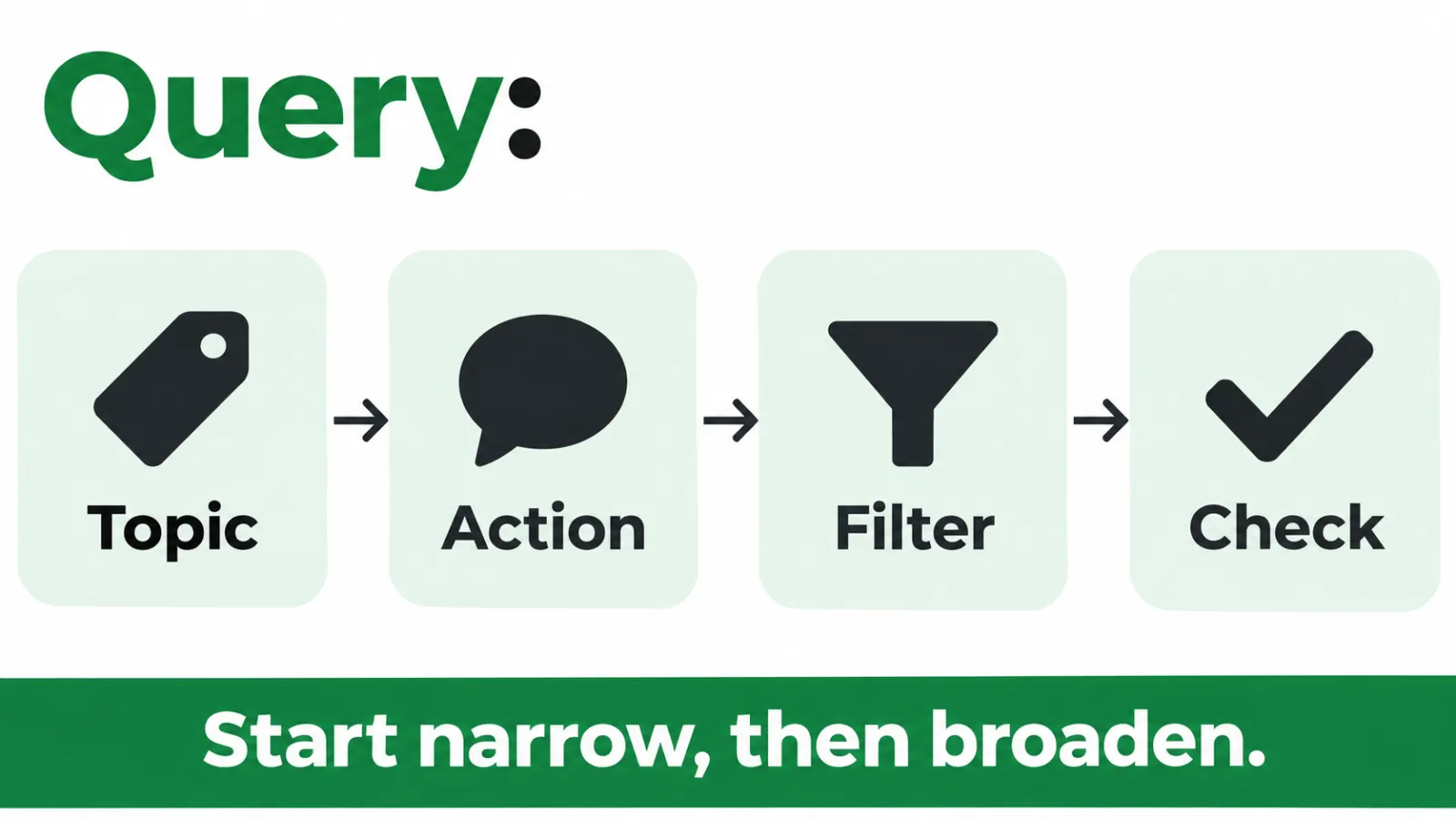
Suppose your question is "what do people say when they stop using a scheduling tool?" That question has a topic, an action and a reason. It does not have an account, a date or a language yet. Build the query in three layers.
First, the topic. A group of alternatives works better than one word, so write (scheduler OR scheduling) to catch both forms. Second, the action. Phrases such as "stopped using" or "cancelled" are better than the word "stopped" alone, which matches far too much. Write ("stopped using" OR cancelled). Third, the filters. Add lang:en to keep the list in one language, and -is:retweet to remove repeated posts.
The full query is (scheduler OR scheduling) ("stopped using" OR cancelled) lang:en -is:retweet. Run it. Open the first ten results. If the list is full of advertisements, add an exclusion for the word that appears in them. If it is nearly empty, remove the lang: filter first and check whether the results change.
Once a query returns posts you want to learn from, turn the best of them into a list of ideas before you write anything. The idea system for founders explains how to do that without copying the posts.
Engagementoperators:webanddevelopernames
The engagement operators are where a query copied from one tool into another often breaks. The developer operator reference lists min_likes:, min_replies: and min_reposts: (checked 2026-11-10). Its warning says the web search names min_faves: and min_retweets: are not valid in the X API, and that the API rejects them with a 400 error (checked 2026-11-10).
On 2026-11-10 one read-only search, min_faves:100 lang:en, typed into X's search returned a results page with no error. That is one observation of the web search. It did not check each result against the threshold, and it did not test min_retweets:.
The advanced form has a Minimum Likes box. This guide does not state which operator the form writes. For a tool that calls the developer search, use min_likes: and min_reposts:, and test one query before you rely on a saved list.
The engagement filter finds posts that already got responses. It does not show you which words caused the response. A list of posts with at least fifty likes is a reading list, not a set of rules.
Posttypeoperators:whattheyarefor
Post type operators split a result list into the kinds of post you care about. is:reply removes the original posts and shows only replies, which is useful when you want to see how people respond to a claim. is:quote shows quote posts, which often carry the commentary you want to read. is:retweet shows reposts, which are useful for tracking what spread, though they repeat the same text.
The most useful habit is to exclude reposts by default with -is:retweet, unless the question is about spread. A list full of the same post repeated under different accounts looks like a trend, and it is only one post.
Contentoperators:links,imagesandmedia
Content operators find posts by what they carry. has:links returns posts with a link, which is the fastest way to see what people are sharing on a topic. has:images returns posts with an image, and has:media includes video and GIFs as well. Each one needs a standalone term, so write the topic first.
A link operator can also be used for research into a specific page. url: matches a URL in the post's URL fields, including the expanded form. If you want to find every post that mentions a page, search for the URL with the url: operator, and check the results for posts that use a shortened form of the same link.
Accountoperators:from,toandmentions
from: finds posts written by one account. to: finds replies sent to one account. The @ operator finds posts that mention an account anywhere in the text. These three answer different questions, and mixing them up is an easy account mistake to make. A reply to a customer and a post that mentions the customer may be the same conversation seen from two sides.
For a question about one account's own posts, use from:. For a question about how an account is discussed, use the mention operator. For a question about what people say to an account, use to:. Write the handle without the at sign after from: and to:, because the operators take the account name directly.
Dateandlanguageoperators
The developer operator reference lists no date operator (checked 2026-11-10). This guide does not name a web date operator either, because none was verified. Set the date range in the tool or form you use, then check the result against the posts' own timestamps. The lang: operator is listed in the developer reference as conjunction-required, so it cannot stand alone and must sit beside a standalone term (checked 2026-11-10).
Check your date results. Open a few posts and read their timestamps against the range you typed. If the range and the timestamps disagree, the query is not doing what you think, and every conclusion you draw from it is suspect. Time zones make the edges of a range harder to read, so use a range that covers a few days around the event you care about.
Commonmistakesthatemptyalist
Using only conjunction-required operators. has:images alone is not a valid query. Add a keyword, a phrase or an account.
Mistyping an operator. A misspelled operator name or a missing colon changes the query. Read the query text before you run it.
Negating a group. Write each excluded term on its own, as the developer documentation recommends.
Copying a web query into an API tool. The engagement names differ, and the API rejects the web names.
Too many terms at once. Long queries are hard to debug. Build in layers and test each layer.
Trusting one saved query forever. Rerun saved queries every few months and check that the results still match the question.
LengthlimitswhenaquerygoestoanAPI
The developer operator reference sets the query length limits (checked 2026-11-10). A recent-search query can be 512 characters for self-serve access, and a full-archive query can be 1,024 characters. Enterprise access allows 4,096 characters. The limit counts the whole query string, so a long list of exclusions can use up the budget quickly. If you hit the limit, move the long exclusion list into a separate filter in your tool, or cut the least useful term.
QuerylengthlimitbyXAPIaccesslevel(characters)
Recent search (all developers)512
Full-archive search1,024
Enterprise, any search4,096
The search introduction says recent search covers posts from the last 7 days and is available to all developers, and that full-archive search covers the complete archive back to 2006 and is available to pay-per-use and Enterprise customers (checked 2026-11-10). A developer query built on recent search will not return posts from last year, however well it is written.
Checkaquerybeforeyoutrustitsresults
Before you trust a long query, run it in X's search and read the first results. Then check its length against the limits above. The build-a-query guide says the entire query string counts toward the limit (checked 2026-11-10).
A query for a hashtag and a query for the same words without the hashtag can return different posts, so run both when a topic has a tag people are likely to use. Keep the exact query text with the date you ran it, so you can repeat the search later.
WherePostMinefits
PostMine's Feeds page shows fresh public posts to reply to, from up to five keywords, your followers, the accounts you follow, repliers or an X list, with a reply box inline. The operators find the posts. The reply is still yours to write. Keep the search and the reply separate in your head: one is research, the other is publishing.
Yes. On 2026-11-10 a query with min_faves:100 and lang:en, typed into X's search, returned a results page with no error. The developer operator reference lists operators such as from: and lang:, checked 2026-11-10.
One term can block the rest. Remove terms one at a time, starting with the most specific, until results appear, then add the term back in a different form.
Yes, in the developer search a leading minus excludes a term. Do not negate a whole group with brackets, because the developer documentation says to list each negated term separately.
They can. Check the developer operator reference before you rely on a name in a tool, and rerun a saved query every few months to see whether its results still look right.
We use cookies for product analytics to improve PostMine. With your consent we also record session replays, including the content you type and view, such as draft posts (passwords excluded), so we can see how the product is used and fix what breaks. Privacy Policy




 Yerkebulan RakhimovNov 9, 20264 min read