X's help page says a hashtag indexes keywords or topics, so research tags from the words your readers search.
X's help page recommends no more than 2 hashtags per post as best practice, and says you may use more.
X's help page says you cannot add spaces or punctuation in a hashtag, or it will not work properly. Check the tag in the composer before you publish.
X's platform manipulation rules list posting with excessive, unrelated hashtags as a behavior they cover, so every tag should name the topic of the post.
A hashtag on X is a keyword marker. X's help page says a hashtag is used to index keywords or topics on X, and that clicking a hashtagged word in any post shows other posts that include it (X Help Center: How to use hashtags). That is the whole mechanism. A tag people search for can put a post in front of readers who are looking for that topic. A tag nobody searches for, or a row of tags on every post, makes the post look like an advertisement for itself.
This article covers how to research hashtags from the words your readers use, how many to put in a post, the placement and punctuation rules X states, and how to recognize an excessive tag. It separates what X's pages say from what third parties claim, and it names the claims I could not confirm on X's pages.
WhatX'shelppagesaysahashtagdoes
X's hashtag help page sets out the basic behavior. The hashtag symbol goes before a relevant keyword or phrase, so the post shows more easily in X search. Clicking a hashtagged word shows other posts with the same hashtag. Hashtags can be included anywhere in a post, and a hashtagged word that becomes very popular is often a trending topic (X Help Center: How to use hashtags).
The same page adds one practical warning. If you post with a hashtag on a public account, anyone who searches for that hashtag may find your post. A tag is a public index entry, not a private label, so it should name what the post is about. X's advanced search also lets a reader filter posts by a specific hashtag, which is one reason to pick tags that match the topic exactly (X Help Center: Advanced search).
Findthetagsyourreadersuse
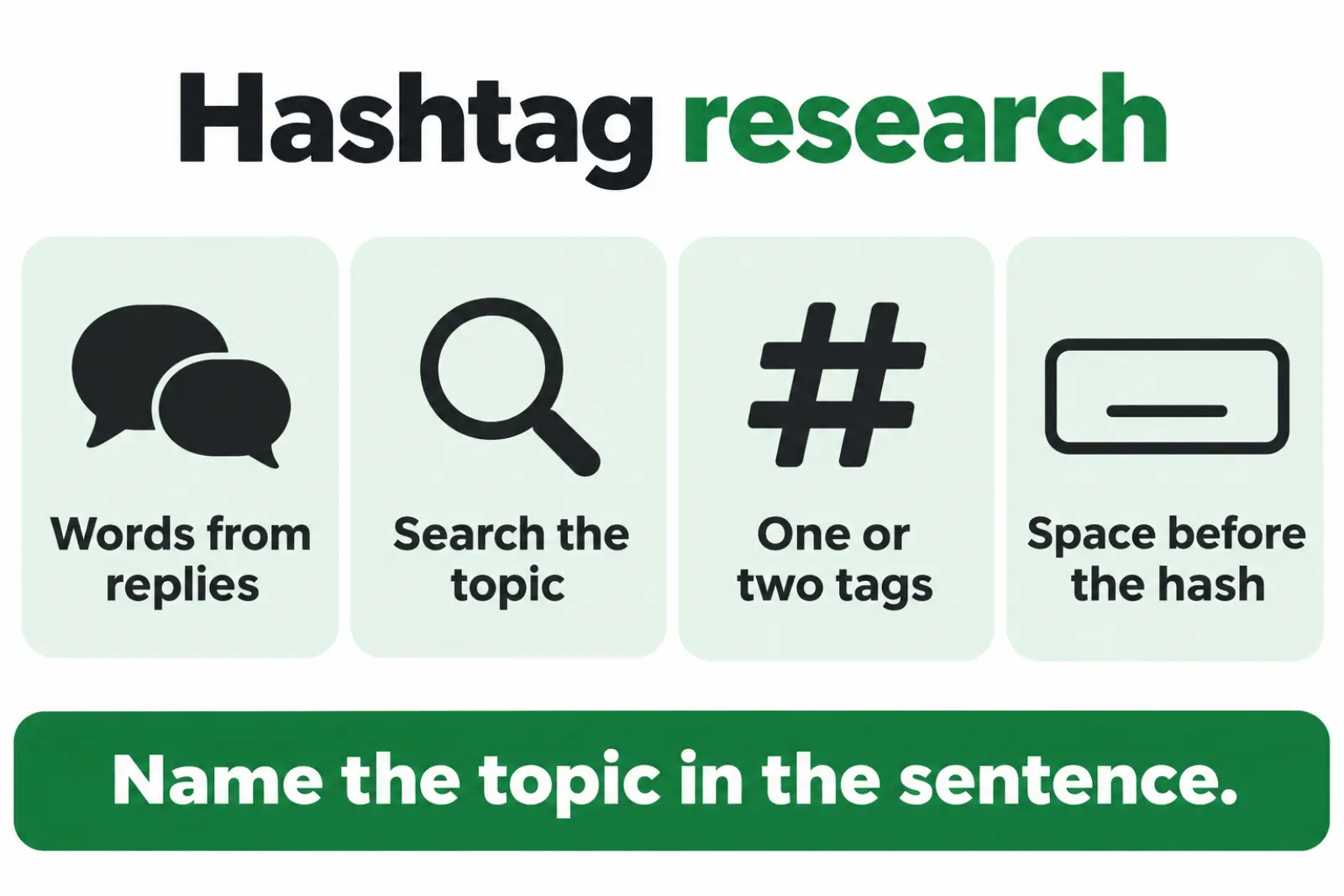
Research starts from the words your readers use, not from the tags you wish they used. The best source is the replies you already received. X's help page on replies and mentions says you can join conversations by replying to others and by mentioning them (X Help Center: About replies and mentions), so the replies to your posts show the words people reach for when they respond. Read the last twenty replies and the posts they answered, and write down the words people use for the problem. Those words are closer to what a reader types into search than any list of trending tags.
Then check the same phrase in X's search. Read the top results, not only the newest ones, and note which tags appear on posts that match your topic. If a tag shows up mostly on unrelated news, promotions or spam, leave it out. If it shows up on posts that look like yours, it is a candidate.
X's advanced search has a hashtag filter, so you can see the posts that use a tag before you choose it (X Help Center: Advanced search). Count how many of those posts match the topic you are writing about. A tag that matches only a few posts is hard to read, so check it before you commit to it.
Collect the words from your replies. Use the last twenty replies you received and the posts they answered, and list the problem words.
Search the topic phrase on X and read the top results for the tags they use.
Count the tags that appear on posts matching your topic, not on posts that merely mention it.
Drop tags that mostly sit on unrelated or promotional posts.
Keep one or two tags per post, and write beside each one the topic it names.
A research note should record the date of the search and the phrase used. X's results change daily, so a tag that matched in March may not match in November. The note is what lets you repeat the search later and see whether the tag still points at the same kind of post.
Howmanyhashtagstouse
X's help page recommends no more than 2 hashtags per post as best practice, and it adds that you may use as many hashtags in a post as you like (X Help Center: How to use hashtags). The recommendation is a best practice, not a limit, so the count is your choice within that guidance.
Two tags that name the topic do the job the help page describes. A longer list adds words without adding meaning, and a reader who taps one tag lands in a feed of other posts, not on yours. I did not find a threshold for the number of tags on X's pages, so this article does not give one. A Reddit commenter in a thread about hashtags for growth put the uncertainty plainly: "I still use hashtags for inclusivity and visibility. I honestly don't know if it is doing either" (Reddit: are people still using hashtags for growth?). That is one user's view, not evidence about reach.
Excessivehashtagsarearulesissue
X's authenticity rules list behaviors they cover, and two of them apply to hashtags. The first is "using trending or popular hashtags with an intent to subvert or manipulate a conversation or to drive traffic or attention to accounts, websites, products, services, or initiatives". The second is "posting with excessive, unrelated hashtags in a single post or across multiple posts" (X Help Center: Authenticity (April 2025 version)). X's search rules also name abusing trending topics or hashtags as a restricted behavior (X Help Center: About search rules and restrictions).
That is the line this article uses. A tag that names the topic of the post is ordinary use. A tag added only to reach a trending topic, or a string of tags unrelated to the post, is the pattern the rules describe. The rules do not give a number, so "excessive" is a judgement you have to make from the post itself. Ask whether the tag would still make sense if a reader removed the rest of the post. If it would not, it is probably unrelated.
Placementandpunctuation
X's help page says you cannot add spaces or punctuation in a hashtag, or it will not work properly (X Help Center: How to use hashtags). A tag with a hyphen or a full stop inside it is therefore a broken tag, not a styled one. Check the tag as a single unbroken word in the composer before you publish, and read the post once in the composer's preview.
Placement is a writing choice. The page says hashtags can be included anywhere in a post, so the beginning, the middle and the end are all allowed. Put a tag where the sentence reads naturally. A tag that forces its way into the middle of a sentence is usually the one that reads as a list.
Stuffing:thefailuremode
Stuffing is the habit of adding five or ten tags to one post and hoping one of them carries it. It fails for three reasons. Each extra tag dilutes the topic, so the post reads as a list of keywords. A reader who taps one tag lands in a feed of other posts, so the extra tags add little. And the pattern matches the excessive-hashtag behavior in X's platform manipulation rules.
The fix is to cut the tags to the one or two that name the topic, and to put the topic words in the sentence. A reader who reads the sentence understands the post without the tag, and the tag becomes a route into search rather than the only route to the topic. That is my reading of the rules and the help page, not a measured result.
Whatthedashboardcountsforatag
After you post, the Post Activity Dashboard reports hashtag clicks for each post. X's dashboard definitions list them as "Hashtag clicks: Clicks on hashtag(s) in the post" (X Business Help: Post and Video Activity Dashboards). That is the number that answers whether readers clicked the tag. It does not say whether they replied, followed or fit your goal, so read it with the replies and profile clicks for the same post.
Works
Tags taken from the words your readers use
One or two tags that name the topic
No spaces or punctuation inside a tag
The topic words in the sentence itself
Avoid
Tags chosen by popularity alone
Five or more tags on one post
A tag with a space or a dash inside it
A tag that is never checked against its clicks
Commonmistakes
Choosing tags by popularity alone. A popular tag can be full of unrelated posts, and X's rules name trending tags used to steer a conversation as a manipulation behavior.
Stuffing several tags. The post reads as a list, and it runs against the excessive-hashtag behavior in X's rules.
Breaking the tag. A space or punctuation inside the tag stops it from working, as the help page says.
Skipping the topic words. A tag without the topic in the sentence is a weak route into search.
Never checking the result. Read the hashtag clicks before you keep a tag, and repeat the search before you keep it for a second month.
Aworkedexample,labelledasanillustration
The example below is made up and does not come from any account. A founder writes a post about onboarding and adds five tags: #startup, #marketing, #saas, #growth and #founders. The post reads like a list, and the tags are broad, so they match thousands of unrelated posts. The founder rewrites the post so the onboarding problem is in the first sentence and keeps one tag, #saas, which names the product category. The post is shorter, and the topic is in the first line.
Four weeks later the founder reads the hashtag clicks and the replies for both versions. The shorter version has fewer clicks on tags and more replies from people who describe the same onboarding problem. The example is a reason to read the replies first, not a proof that one tag works better than five.
Wherethesourcesstaysilent
X's pages state the basic behavior, the two-tag recommendation, the punctuation rule and the manipulation rules. They do not say how much a hashtag changes the reach of a post, and I did not find an X statement that quantifies it. Third-party tests report percentages, but their samples and methods are rarely shown, so this article does not use them. The advice to keep tags to the topic follows from X's rules and help page; it is not a measured result.
The automation rules page was not checked. The spam quotes are from X's Authenticity page (April 2025 version), and the claims in this article rest on that page and the help text quoted above.
WherePostMinefits
PostMine's Feeds, under Engage, builds feeds from up to five keywords or people lists, so you can read posts that use your keywords (PostMine quickstart). That is a research input, not a tag recommendation. PostMine does not publish a hashtag list, and this article does not claim it does.
X's help page recommends no more than 2 hashtags per post as best practice, and says you may use as many as you like. One or two tags that name the topic is the practical limit this article uses.
X's help page says hashtags can be included anywhere in a post. Put the tag where the sentence reads naturally.
X's help page says you cannot add spaces or punctuation inside a hashtag, or it will not work properly. Check the tag as one unbroken word in the composer.
The Post Activity Dashboard reports hashtag clicks for each post, defined as clicks on the hashtags in the post. Read them with impressions and replies for the same post.
We use cookies for product analytics to improve PostMine. With your consent we also record session replays, including the content you type and view, such as draft posts (passwords excluded), so we can see how the product is used and fix what breaks. Privacy Policy




 Yerkebulan RakhimovNov 9, 20269 min read