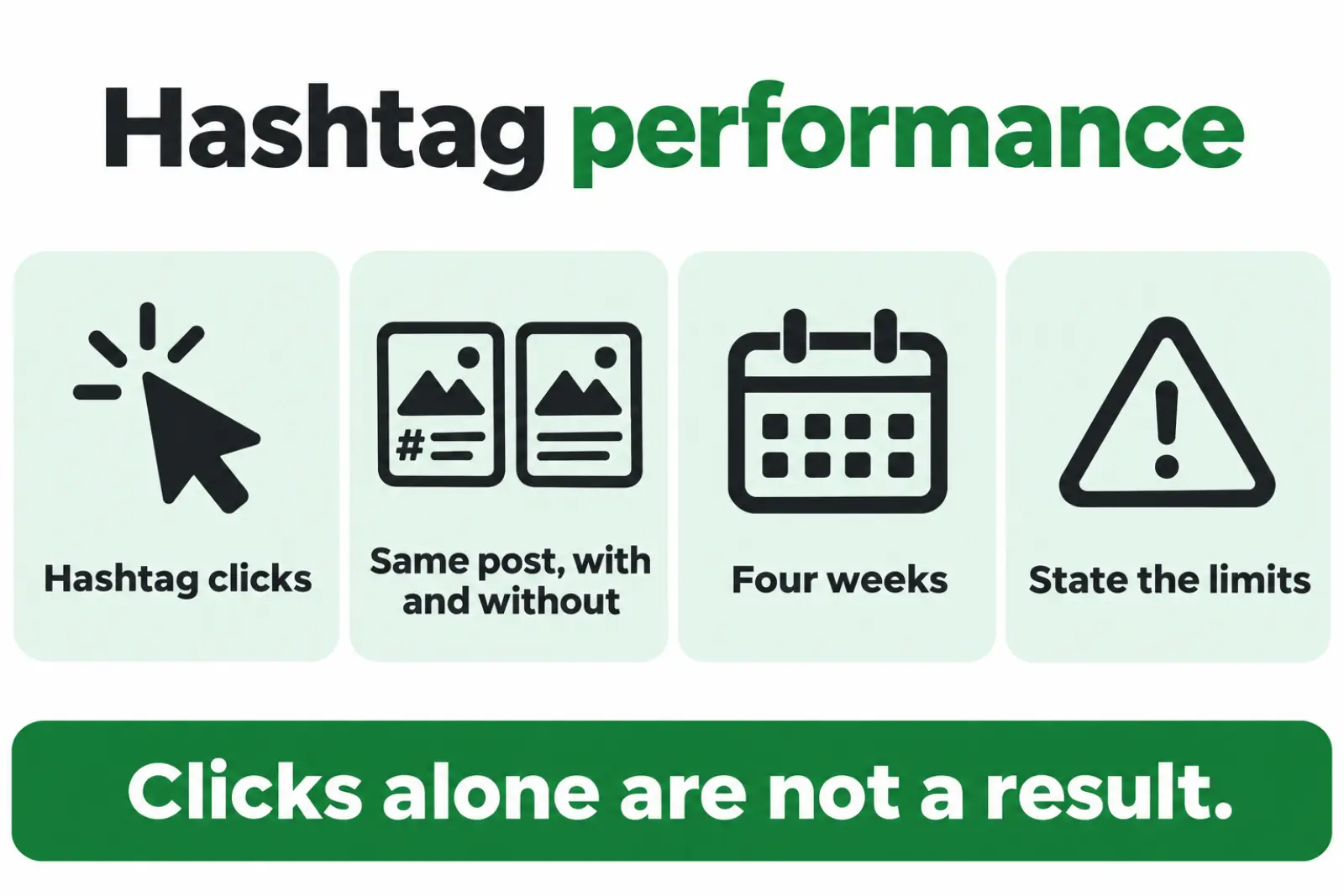
The Post Activity Dashboard reports hashtag clicks for each post, and that is the native number to start from.
A hashtag's result is only readable next to the impressions, engagements and replies of the same post, because a tag can get clicks from the wrong readers.
A fair test compares posts of the same format with and without the tag, over several weeks, and keeps the sample visible.
The limits are real. Small samples, changing feeds and mixed topics make hashtag claims weak, so state the limit with every result.
Hashtag advice is often a claim: use this tag, use that many, post at this time. It rarely says how you would know whether the tag worked. The question has a practical answer. X reports hashtag clicks for each post in the Post Activity Dashboard, and that number, read beside the rest of the post's numbers and compared with the same post without the tag, is the basis for a fair test.
This article explains what X's dashboard reports about hashtags, how to read those numbers without fooling yourself, a simple comparison method, and the limits that make any hashtag test weaker than it looks.
X's Post Activity Dashboard includes hashtag clicks as one of the actions it reports for each post. X defines the metric as clicks on hashtag or hashtags in the post, as listed on the dashboard's definitions (X Business Help: Post and Video Activity Dashboards). The definition is short, and it says nothing about whether the clicks came from readers who fit your goal.
So the native number measures one thing: clicks on the tag. It does not measure reach from the tag, replies from the tag's readers, or follows. A hashtag test that reads only the click count is a test of curiosity about the tag, not of its value to the account.
Theinputstoreadnexttotheclicks
Read the hashtag clicks beside four numbers for the same post. Each one answers a question the clicks cannot answer alone.
Impressions. How far the post was served. A tag with clicks on a post with tiny impressions is a small signal.
Engagements and the rate. Whether the post's readers responded. Engagements combine clicks, reposts, replies and likes. The dashboard's engagement definition covers clicks anywhere on the post, and the dashboard lists hashtag clicks as a metric of their own (X Business Help: Post and Video Activity Dashboards). The December 2024 analytics update that X Subscriptions pointed to added an engagements tile (@ZachWarunek's update).
Replies. Whether the readers wrote something. A reply is a stronger signal than a click on a tag, because it shows the reader took a position.
Profile clicks and follows. Whether the readers wanted to know who wrote the post, and whether they followed.
The cleanest test is a comparison, not a single post. Write the same post twice in a format you use often, once with the tag and once without, and post them on different days. A single post with a tag tells you nothing, because a post with a tag can be good or bad for many reasons.
Even a comparison has limits. The two posts are on different days, so the feed and the audience are not the same. Keep the comparison honest by repeating it several times, and by comparing the tagged post with the median of the untagged posts of the same format. A median is less sensitive to one viral post.
Pick one format you post often, such as single posts with a clear first line.
Write the post twice, identical except for the tag, and post them on separate days.
Read the hashtag clicks and the four inputs for both versions, next to the median of your recent untagged posts of that format.
Repeat across four weeks and write the result as a range, not a single number.
Thelimitsthatweakenanyhashtagtest
Every hashtag test has limits, and the result is only as strong as they allow. Four limits matter most.
The sample is small. A hashtag test on two posts is an anecdote. Four weeks of comparisons is a weak sample, and the honest conclusion is often "not clear yet."
The feed changes. The audience, the topic and the feed move from week to week. A tag that worked last month can fade, and the comparison is across different days.
The topic mixes. A post with a tag is often also a different post. The first line changed, the length changed, or the topic was new. A hashtag test should change only the tag.
The native numbers stop at X. The clicks and the inputs show what happened on X. They do not show whether the readers who clicked became contacts, customers or followers you wanted.
State these limits with every result. A hashtag claim without its limits is a guess presented as evidence.
Commonmistakes
Reading clicks alone. A click is curiosity, and it needs the inputs beside it.
Testing one post. One post with a tag is an anecdote.
Comparing across formats. Compare the tagged post with untagged posts of the same format.
Calling a result without its limits. Every hashtag result should carry its sample size and its limits.
Trusting a third-party score. If you cannot see its inputs, you cannot check its result against your numbers.
Works
Clicks read beside impressions, replies and follows
The same post with and without the tag
Four weeks of comparisons
The limits stated with each result
Avoid
Clicks as the only measure
One tagged post as the test
Formats compared across each other
A result with no limit stated
Aworkedexample,labelledasanillustration
The example below is made up and does not come from any account. A founder tests a tag in single posts for four weeks. The tagged posts average 14 hashtag clicks and a median of 9 replies, while the untagged posts of the same format have a median of 8 replies. Untagged posts have no hashtag clicks at all, because there is no tag to click, so the replies are the only fair comparison: a median of 9 against a median of 8. The founder writes the result as "the tag adds curiosity, and replies are about the same," and keeps the tag only in posts where it names the topic.
Wherethesourcesstaysilent
X's dashboard defines hashtag clicks, and X's help page covers the basic hashtag behavior. Neither one says how a hashtag changes the reach of a post, and I did not find an X statement that quantifies the effect. Third-party tests report percentages, but their methods and samples are rarely shown, so I do not use them as benchmarks.
Whatthenativedefinitionsdoanddonotname
The dashboard's definitions list hashtag clicks as their own metric: "Hashtag clicks: Clicks on hashtag(s) in the post" (X Business Help: Post and Video Activity Dashboards). X's hashtags help page says a hashtag is used to index keywords or topics (X Help Center: How to use hashtags). The engagement definition covers clicks anywhere on the post, so hashtag clicks sit inside the total as well. That is my reading of the definitions, and the dashboard's hashtag-clicks number is the figure this article uses for organic posts.
That gap matters for the test. If a reader clicks a hashtag and then taps the username, the post can get two kinds of click, and only one of them is the hashtag. The clicks on the tag are the column that answers the tag question, so keep that column separate from profile clicks and from the engagement total. A tag test that mixes the columns will show a lift that belongs to the profile, not the tag.
Check the tool before you compare two tools. Brandwatch, a third-party vendor, says X (Twitter) Analytics includes clicks in its engagements metric, while its own Measure product does not (Brandwatch: X content metrics), so a hashtag count from another tool can differ for a reason that has nothing to do with the post. Pick one view for the whole test, and state it in the result.
Readthehashtagclickswiththesamesourceeverytime
The test is only comparable if the numbers come from one place. X's Post Activity Dashboard reports hashtag clicks for each post (X Business Help: Post and Video Activity Dashboards). A hashtag test that reads the clicks from the screen in week one and the export in week four is comparing two sources.
The marketing page describes the post activity dashboard as the place to see how many times X users have "seen, reposted, liked, and replied to each post" (X Marketing: Measure results). That description does not mention hashtags at all, which is a reminder that the hashtag column is a dashboard definition, not a headline metric. Keep it in the same table as the other clicks, and read it with the same window.
Video posts need a separate row. Video metrics come from the Video Activity Dashboard, which tracks view rates, retention and completion rates (X Business Help: Post and Video Activity Dashboards), and Media Studio is a Premium-tier feature (X Help Center: Premium). A hashtag on a video post cannot be compared with a hashtag on a text post using view counts, so keep the tests to one format each.
Howtowriteuparesultyoucandefend
A hashtag result is a claim about one account over a few weeks, and it should be written so a reader can check the method. State the format, the number of posts in each arm of the comparison, the window, the source of each number, and the limits from this article. A result with a tag, a click count and no window is a number nobody can repeat.
Write the result as a range. If the tagged posts had a median of 9 replies and the untagged posts had a median of 8, the honest statement is that the difference is within the noise of four weeks. The dashboard definitions support reading clicks and replies as separate columns (X Business Help: Post and Video Activity Dashboards). Keep one export for the whole test, and use X's advanced search to find the tagged posts you compare against (X Help Center: Advanced search).
Keep the result in the sheet with a date, and repeat the test before you change the account's habits because of it. A single test that looks good is the most common reason a hashtag habit persists after it has stopped working. PostMine's quickstart describes a daily CSV export you can keep as your own copy of the numbers (PostMine quickstart).
WherePostMinefits
PostMine's Analytics page shows your account's trends, and the daily CSV export keeps a record that can be read against the four-week test (PostMine quickstart). My Replies, under Engage, lists the replies you sent and how each one performs, which helps with the reply input. PostMine does not provide a hashtag score, and this article does not claim one.
The Post Activity Dashboard lists hashtag clicks for each post, defined by X as clicks on the hashtags in the post. Read those clicks beside the impressions and replies for the same post.
Not on its own. Clicks show curiosity about the tag. Check whether the readers who clicked replied, followed or fit your goal.
At least four weeks, with posts older than 36 hours, because X says its metrics can take that long to stabilize.
Treat it as that tool's method. Most scores do not show their inputs, so you cannot check them against the X numbers on your own account.
We use cookies for product analytics to improve PostMine. With your consent we also record session replays, including the content you type and view, such as draft posts (passwords excluded), so we can see how the product is used and fix what breaks. Privacy Policy




 Yerkebulan RakhimovNov 9, 20269 min read