Start with the smallest scope. Publish approved text at set times, and nothing else.
Connect only through X's official API, and check the label and disclosure rules for automated accounts before you publish.
Build the stop switch and the failed list before the first automated post, not after the first problem.
Widen the scope one step at a time, and only after a month of clean weekly reviews.
Automatic posting can save real time. It lets an approved post go out at the hour you chose, while you are in a meeting or asleep. It can also turn a small mistake into a dozen posts before anyone looks, if the setup has no human in the approval step and no way to stop. The difference between the two outcomes is the setup, and this guide describes a setup you can run in an afternoon.
The setup has four parts: a narrow scope, an approval step that is real, a connection that follows X's rules, and a way to stop. Each part can be checked in a few minutes, and each one answers a specific failure. Where a rule is my reading rather than a quoted line, the article says so.
The narrow scope is also the rule-safe one. X's automation rules make you responsible for the actions taken with your account or by apps connected to it, so a setup you cannot explain is a setup you cannot defend. X's authenticity rules cover account manipulation and impersonation, and a setup that changes what your account appears to be is the case to avoid. X's terms say you cannot scrape the Services without express written permission, so a tool that reads the site instead of using the API is outside them.
Start by publishing one kind of post, and nothing else. The safest automatic setup does one job: it publishes text you have already approved, at times you chose. It does not reply, follow, like, message or repost. Those actions are the ones that X's developer guidelines treat differently, and they are the ones that can surprise you.
The guidelines list the actions an automated account may take, and each one has its own conditions. Posting scheduled informational content is listed as allowed for automated accounts. Replies are allowed only when the user engaged first, with one reply per interaction. Likes must be user-initiated, and auto-liking is prohibited. Starting with posts alone keeps you on the simplest part of that table.
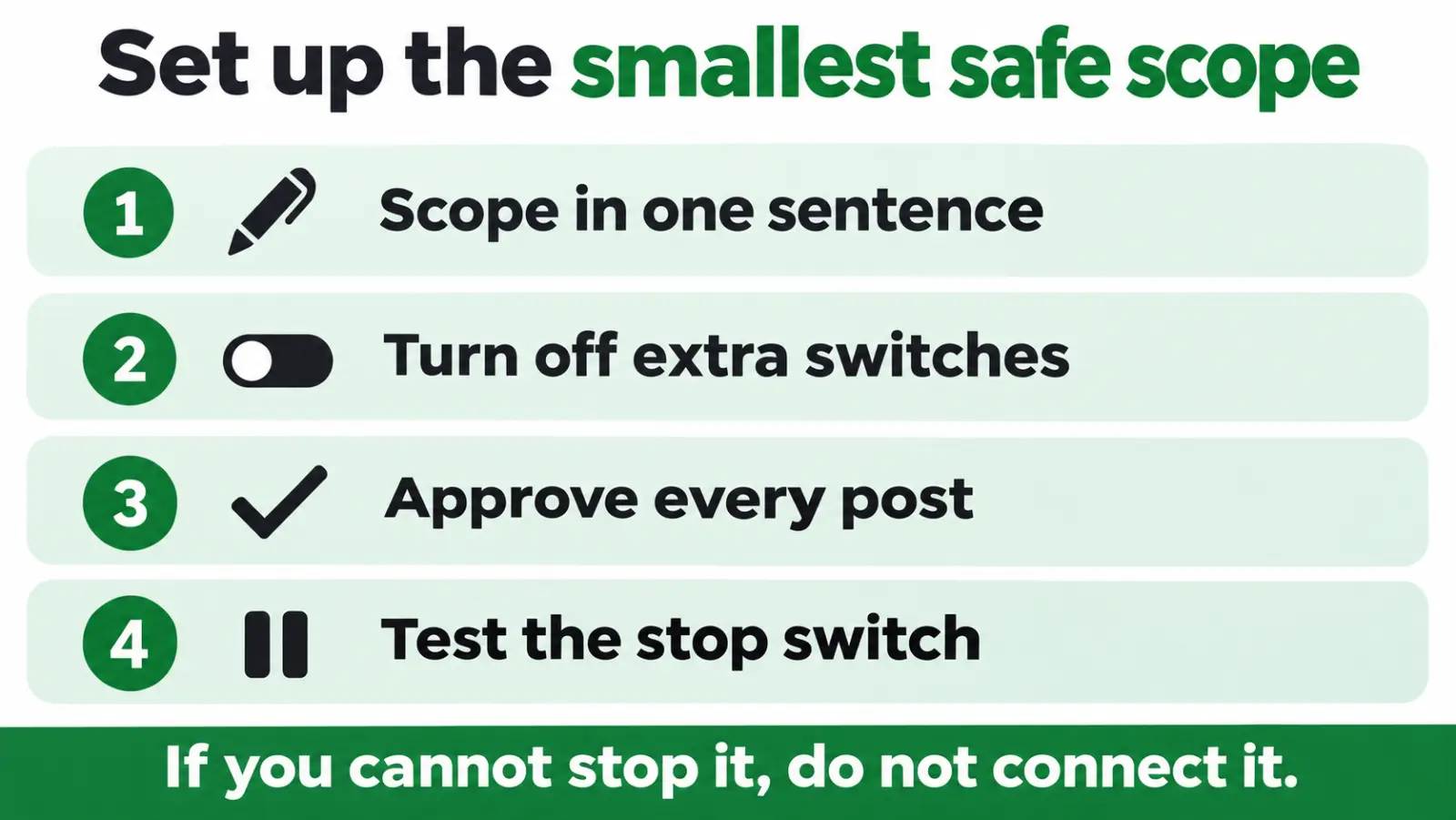
Write the scope in one sentence. For example: "Publish approved posts from my queue at the times I chose, and nothing else."
List every switch the tool offers. Mark each one that acts without you, such as likes, follows, direct messages and replies.
Turn off every switch outside the scope. A switch you do not need is a behavior you do not have to watch.
Write the approval rule. For example: "Nothing enters the queue without a human mark, and I am the only one who marks."
Confirm the connection. Use the official API, and check the account name the tool connects to before you save.
Checkthelabelanddisclosurerulesfirst
An automated account has duties that a personal account may not. X's developer team announced the Automated Account label on February 16, 2022, and the announcement describes it as a way for bots to self-identify. The developer guidelines state that automated accounts using the X API must enable the Automated profile label, disclose in the bio that the account is a bot and who runs it, and link to a human-managed account.
Whether those duties apply to your setup is a question about your account, not a question I can answer for you. My reading is that a personal account that publishes only your own reviewed posts through a tool sits near the line. The safe choice is to check the guidelines against your exact setup, and to act as if the duties apply if you are unsure. Adding a disclosure costs a line in your bio. Missing one can cost the account.
Buildtheapprovalstepintothetool
The approval step is the part that makes the setup responsible. A tool that lets any draft into the queue has no approval step, whatever its settings say. Look for a visible approval mark on every queued post, and make the mark something you must do, not something that happens by default.
I build PostMine, which this article mentions. PostMine's queue works this way. A post stays in Drafts until you schedule it or slide to publish, and nothing publishes unless you chose that moment. If your tool does not work this way, add a manual check before every queued post: read it on a larger screen, open each link, and confirm the time and timezone. A manual check takes a few minutes. It is the cheapest insurance in the setup.
Setastopswitchbeforethefirstpost
A stop switch is worth more than any setting you configure. The first time a tool posts something wrong, you will want to stop it within a minute, and you will not want to search for the pause button while the next post goes out. Test the stop switch before the first automated post, with a harmless post that you cancel.
The test is simple. Schedule a harmless post for ten minutes ahead. Pause or disconnect the tool, then confirm that the post does not go out. If it goes out, the stop switch did not work, and you should not run the tool on your main account until you know why.
Day 1
Write the scope and turn off the extra switches
Day 1
Connect through the official API and check the account name
Day 2
Test the stop switch with a harmless post
Week 1
Publish one approved post a day
Week 4
Review the failed list and the cost
Aworkedsetup,withillustrativenumbers
The following setup is an illustration, not a real account. A founder publishes four approved posts a week through a tool, and she keeps the scope to those four. She pays a per-post price for the API writes and a higher price for the posts that include a link, which X's April 2026 pricing update lists at $0.015 for a write and $0.20 for a URL post.
Her four posts a week are three text posts and one link post, so a month holds 12 text posts and 4 link posts. At $0.015 per text write, the text posts cost $0.18. X's April 2026 update says URL posts "will be priced at $0.20 per post", but it does not say whether that replaces the $0.015 write fee or adds to it. If it replaces, each link post costs $0.20 and the month comes to $0.98. If it adds, each link post costs $0.215 and the month comes to $1.04. The update also lists $0.01 for summoned replies, which this example does not include. She checks the billing line every four weeks, because a change in her mix changes the total. If she added a link to every post, the link cost would rise to four times its current level.
Asetupreview,everyfourweeks(illustration)
Check
Whatgoodlookslike
Whattodoifitfails
Scope
Onlyapprovedposts,atchosentimes
Turnoffanyswitchthatactedonitsown
Approval
Everyqueuedposthasahumanmark
Removetheunapprovedpostsfromthequeue
Failedlist
Eachfailurehasadecision
Checktheprofilebeforeanyretry
Cost
Matchesyourplannedmixoftextandlinks
Movelinksintorepliesortrimthelinkcount
Stopswitch
Pausespublishingwithinaminute
Fixtheswitchbeforeyoupostagain
Amonthlyreviewofthesetup
A setup drifts, even when nobody changes it on purpose. Tools add features, pricing changes, and your own habits shift. A review once a month catches the drift while it is small. The review takes about thirty minutes, and it follows the same order each time.
Compare the scope with the switches. Open the tool's settings and check every switch against the one-sentence scope you wrote. A new switch that acts on its own is the first thing to remove.
Read the approval record. Sample five posts from the month. Each one should show a human mark, and the mark should be yours.
Read the failed list and the posted list together. A post that failed and then appears as posted needs a note, because it may be a duplicate you did not intend.
Check the cost against the plan. Compare the month's writes and link posts with the mix you planned, using the price the X developer pricing update lists for each kind of post.
Test the stop switch again. A stop switch that worked in the first week can break after an update, so repeat the harmless-post test.
Write one decision. Keep the scope, widen it by one step, or shrink it. Write the reason in one sentence.
The decision is the important part. A setup that keeps widening without a written reason is drifting toward the risks in this article. A setup that shrinks after a bad month is working as intended. A responsible setup can stay narrow for a long time, and that is not a failure. The automation guide explains which new switches to refuse by default.
A practical note on what counts as a change. Any update to the tool, any new integration and any change in how you write posts counts. If you change two things in the same month, the review cannot tell you which one caused a problem, so change one thing at a time, and let the next review confirm it.
Mistakesthatmakeautomaticpostingirresponsible
Mistake one: connecting the tool before writing the scope. A tool connected without a scope will do what its settings allow, and the settings are usually broader than you need.
Mistake two: approving in bulk without reading. A bulk approval is an approval in name only. Approve one batch at a time, after a read-through.
Mistake three: retrying a failed post blindly. A post may have gone out and reported a failure, or it may have failed and be safe to send. Check the profile first.
Mistake four: copying the same text across accounts. The guidelines prohibit identical cross-posting across accounts, and X's rules also bar repeating identical posts on one account. A tool that posts the same text to several accounts is breaking that rule, even if each post looks harmless alone.
Mistake five: widening the scope too early. A setup that publishes text cleanly for a month is ready for one more step. A setup that has had a failure in its first week is not ready for any more.
Edgecasesthatchangethesetup
Trends and reactions. The guidelines prohibit posting to trending topics to gain visibility. An automatic setup should not react to a trend on its own. Keep reactions manual, and write them by hand.
Quotes and reposts. The April 2026 pricing update removes quote-posting through API writes for self-serve tiers. A tool that promises to quote posts automatically may not be able to do it on your plan, so check before you rely on it.
Time changes. Clock changes and travel move the times on screen against the times your audience sees. Check the timezone after any change, and write the timezone next to each scheduled time.
Shared accounts. If more than one person can approve, the approval rule has to hold for all of them. Write the rule down, and make sure each approver knows it.
WhatPostMinedoesanddoesnotdo
PostMine publishes only what you approve or schedule. Connected publishing uses X's official API, never browser automation. PostMine does not automate direct messages, comments, follows or engagement. Its product copy says it respects X's official API limits, reports a failed target without changing a target that already succeeded, and has no daily publishing cap of its own.
For the mechanics of how a tool moves a post from draft to publish, the automated posts guide walks through each stage. The automation guide covers which actions sit on which side of the line.
Publish only posts you approved, at times you chose, through the official API, with a stop switch and a weekly failed-list check. Add nothing else until that runs cleanly for a month.
If the account is automated and uses the X API, X's developer guidelines require the Automated profile label, a bio disclosure and a link to a human-managed account. A personal account that publishes only your own reviewed posts may not fit that definition, so check the guidelines for your case.
Only as often as you approved. X's rules do not give a number you can rely on for every account, so the cap should be the number of posts you actually reviewed this week.
Read the failed list, check your profile for the text, then decide whether to publish it again. Do not retry a failed post blindly, because it may already have gone out.
We use cookies for product analytics to improve PostMine. With your consent we also record session replays, including the content you type and view, such as draft posts (passwords excluded), so we can see how the product is used and fix what breaks. Privacy Policy




 Yerkebulan RakhimovNov 9, 202610 min read