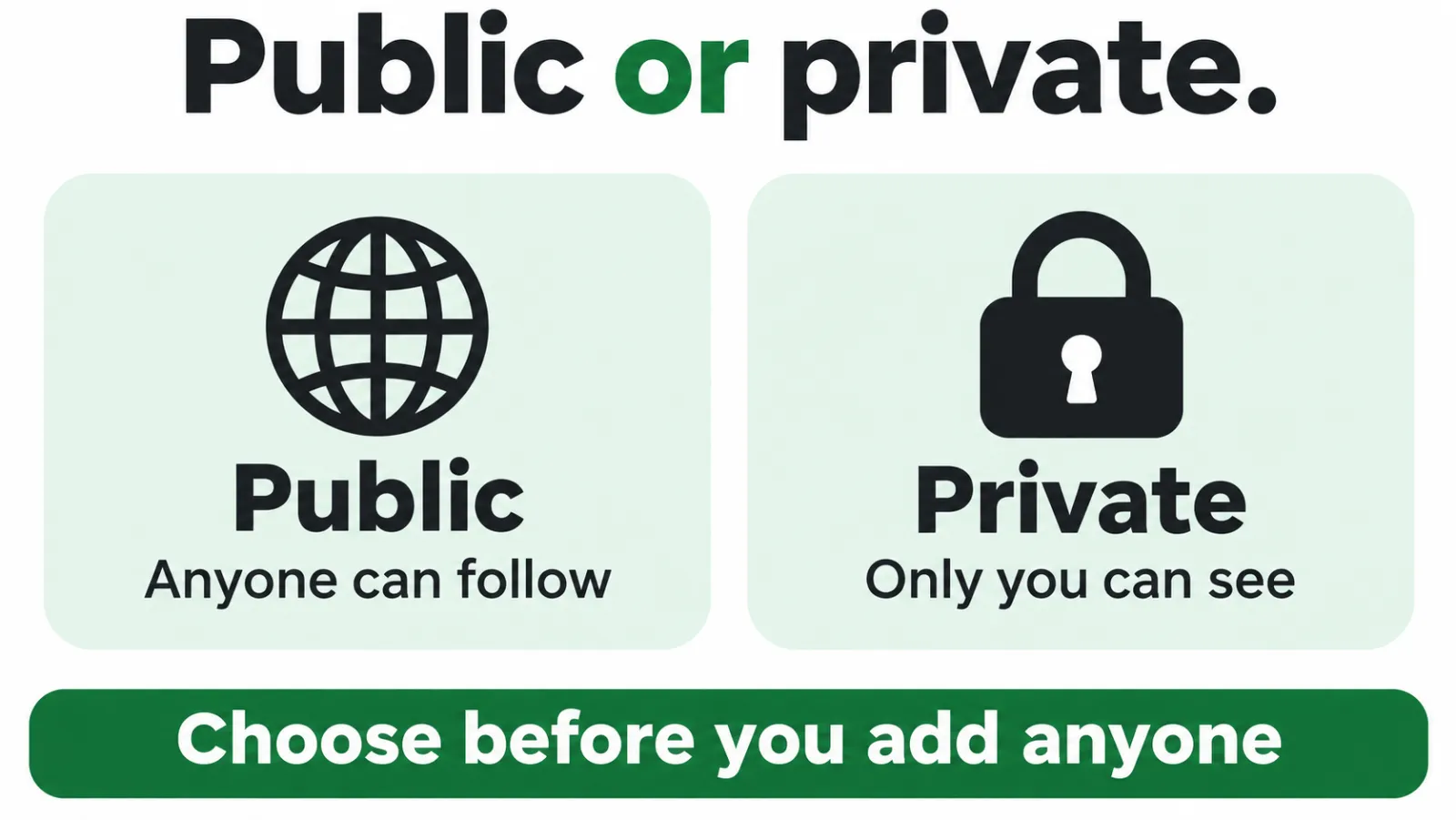
A public list can be followed by anyone. A private list is visible only to you, according to X's Help Center.
Private does not mean anonymous to the accounts on it. Assume a member can learn about the list in other ways, and do not write anything in a list you would not say to the member.
Use private lists for research and private planning, and public lists for a topic you want others to find.
Lists owned by other accounts that you cannot see are private to them, so do not expect to find a private list by searching.
Every X list has one setting that decides who can follow it and who can see it. The default is public, and the Help Center describes a Private slider that changes the list so that only you can view it. The choice looks small, but it changes what a list says about you and about the people on it.
This guide explains the difference between the two settings in plain terms, what each one does and does not hide, and how to choose for research, relationships and outreach. It relies on X's Help Center pages on lists, and it says where the Help Center stops. For the mechanics of creating and maintaining a list, see how to create and manage X lists.
Whatthetwosettingsmean
The X Help Center's guide to lists says that the default for a new list is public, which means anyone can follow it. The same guide describes the Private slider, which, when turned on, makes the list accessible only to you. Protecting your posts is a separate setting, covered in the public and protected posts guide.
That is the whole rule as X states it. A public list is a list other people can follow. A private list is a list only its owner can see. The difference is about who can follow or see the list.
The table reflects the Help Center's wording, and the rows the Help Center does not cover are marked as such. Write a public list's description as if others will read it.
Whatprivatedoesnothide
A private list hides the list from other people on X. It does not hide what you write in other places. If you tell a member that you are tracking them, you have told them. If you reply to their posts often, they may notice the pattern. A private list is a filter on visibility inside the list feature, not a shield around your research.
This matters most for lists of people you are tracking for a reason you would not want to explain. A private list keeps the list out of view. It does not keep the people on it from learning about your interest in them, and it does not stop them from finding the same posts you read. Write the list as if the people on it might one day see the whole thing, and keep the description to the topic, not to your opinion of each person.
Whatapubliclisttellspeople
A public list is a statement, even when it is not meant as one. A public list named after a competitor reads as a comparison. A public list of customers reads as a claim about those customers. A public list of journalists reads as an outreach plan. Some of those are fine. Others will make an account feel watched, and the Help Center does not promise that a public list will go unnoticed.
The safe way to use public lists is for topics, not for individuals. A public list called "founders writing about onboarding" is a service to anyone who wants to read about onboarding. A public list called "people I want to pitch" is a private plan that happens to be visible. Choose the public list for the first kind of list, and keep the second kind private, or do not make it a list at all.
Choosebypurpose
The right setting depends on what the list is for. The table below is a starting point, and the steps after it help you check the choice before you add members.
Name the purpose in one sentence. Research, relationships, a topic for others, or a plan you do not want to share.
Ask whether the list describes a person or a topic. Lists of people you are tracking are usually private. Lists of topics can be public.
Ask what the description would say to a member. If you would not be comfortable with the member reading it, make the list private.
Set the Private slider before adding members. Do not rely on changing it later to undo a public period.
Check the list once a month. A public list that drifts from its purpose should be made private or removed.
Researchlists
A research list is usually best private. You are reading a set of accounts to learn how they talk about a subject, and the list is a reading habit. Keeping it private means you can add and remove accounts without an audience for every change, and the description can be honest about what you are looking for. The research itself is yours, and the posts you learn from are public anyway.
The one caution is the description. Write it as a note to yourself about the topic, not as a judgment of the people on the list. A description that reads "accounts that get pricing wrong" is a record of your opinion, and it stays in your list even if you never share it.
Relationshiplists
A relationship list is a list of people you want to keep in contact with. These are often better private, because the list is a memory aid, not a sign. A public list of people you admire can be a flattering gesture, and it can also feel like a signal the people on it did not ask for. If you want to show appreciation, a reply to a specific post does the job better than a list.
Do not plan a broadcast through a list. A reply to one post is the unit that works, and a list is a reading habit rather than a channel to members.
Topiclistsforothers
A topic list can be public and useful to other people. If you have built a list of accounts that discuss a subject well, making it public lets other readers use your work. Give it a clear name and a description that says what the list is for and who belongs on it, and review it monthly as you would a private list.
A public topic list also reflects on you. Its quality shows what you think is worth reading. Keep the members to accounts you would recommend in person, and remove any that stop meeting the description.
Plansandoutreach
A list of accounts you plan to contact is a private list, always. A public list of people you are about to pitch, approach or sell to can become a public record of your plan, and it can put people on guard before you have even spoken to them. Keep outreach plans out of public lists, and keep them in a notes app or a spreadsheet, where they can change without becoming visible.
Commonmistakeswithlistvisibility
Leaving a new list public without thinking. The default is public. Check the setting before you add members.
Writing private opinions in a public description. The description is the first thing a member or visitor reads.
Assuming private means invisible to the people on it. A private list hides the list, not your behaviour around it.
Making a list of customers public. It reads as a claim about those customers, and it can feel like surveillance.
Switching a list back and forth. Changing the setting repeatedly makes it harder to know who has seen what.
Treating a list as secret planning. Keep sensitive plans in a document you control, not in a list description.
Edgecasestodecideinadvance
Some accounts are both customers and topic experts. Put them on a topic list only if the list is about the topic, and keep the customer relationship in a private list or in your notes. An account that changes its posting from the topic to something else should be removed from a public list promptly, because the description would otherwise describe the wrong person.
A list you made for one project may outlive the project. If the project is finished, set the list to private, remove the members if you do not need them, or delete the list. The Help Center's pages I could read do not describe an archive setting, so the safe choice is to make the list private and stop adding to it.
The visibility choice is a switch on the list, and the X Help Center guide to lists describes it directly. The default setting for a list is public, which means anyone can follow it. To make the list only accessible to you, you drag the slider next to Private to on.
The privacy question is wider than the list. X's Terms say that the Terms incorporate its privacy policy, and the policy is at x.com/privacy. The policy "describes how we handle the information you provide to us when you use the Services", so a private list is one setting inside that framework, not a separate promise. Read the policy before you decide that something you do on X will stay between you and the platform.
Choose the visibility when you create the list, and check it again when the purpose changes. A public list is a signal to other people: it says which accounts you think are worth following, and it can be followed by anyone. A private list is a working note for your own research. If a list starts as research and later becomes something you want to share, switch it to public on purpose, and write the date of the change in your notes so that the history is clear.
Threedifferentvisibilityswitches
Visibility has more than one meaning on X, and the list switch is only one of them. The X Help Center page on public and protected posts says that posts are public by default, that protected posts are visible only to your followers, and that protected posts do not appear in third-party search engines. Protecting your posts limits who can read them. The X Help Center guide to lists says a private list is accessible only to you. Check both settings if the audience matters.
The search help page says the same division in search results: if your posts are protected, only approved followers can see them there, which is one of the reasons a post may not appear in search. The guide to protecting your posts says the setting is a slider in Privacy and safety, and that unprotecting your posts makes previously protected posts public, so check the setting before you change it. Bookmarks are the third kind of privacy. The bookmarks guide says that bookmarks are private and viewable only to you.
WherePostMinefits
PostMine's Feeds page shows posts from X that you can reply to, and a list is one source you might use to find those posts. The product does not show who is on your X lists, and it does not change their visibility. The setting on each list is yours, and the decision about a public or private list stays with you.
X's Help Center describes a Lists you're on view, which shows the lists an account belongs to. Write your list descriptions as if others may read them.
The Help Center says a private list is accessible only to you. Do not rely on secrecy beyond that, and do not write sensitive notes in a list description.
The Private slider appears in the list settings. Decide before you add members.
Private is the safer choice. A customer list is a planning tool, and a public list of customers can read as a claim about those accounts. Keep it private and speak to each customer in a reply, not a list.
We use cookies for product analytics to improve PostMine. With your consent we also record session replays, including the content you type and view, such as draft posts (passwords excluded), so we can see how the product is used and fix what breaks. Privacy Policy




 Yerkebulan RakhimovNov 9, 202610 min read