A list is a feed of accounts you choose. Keep it small enough that you read it.
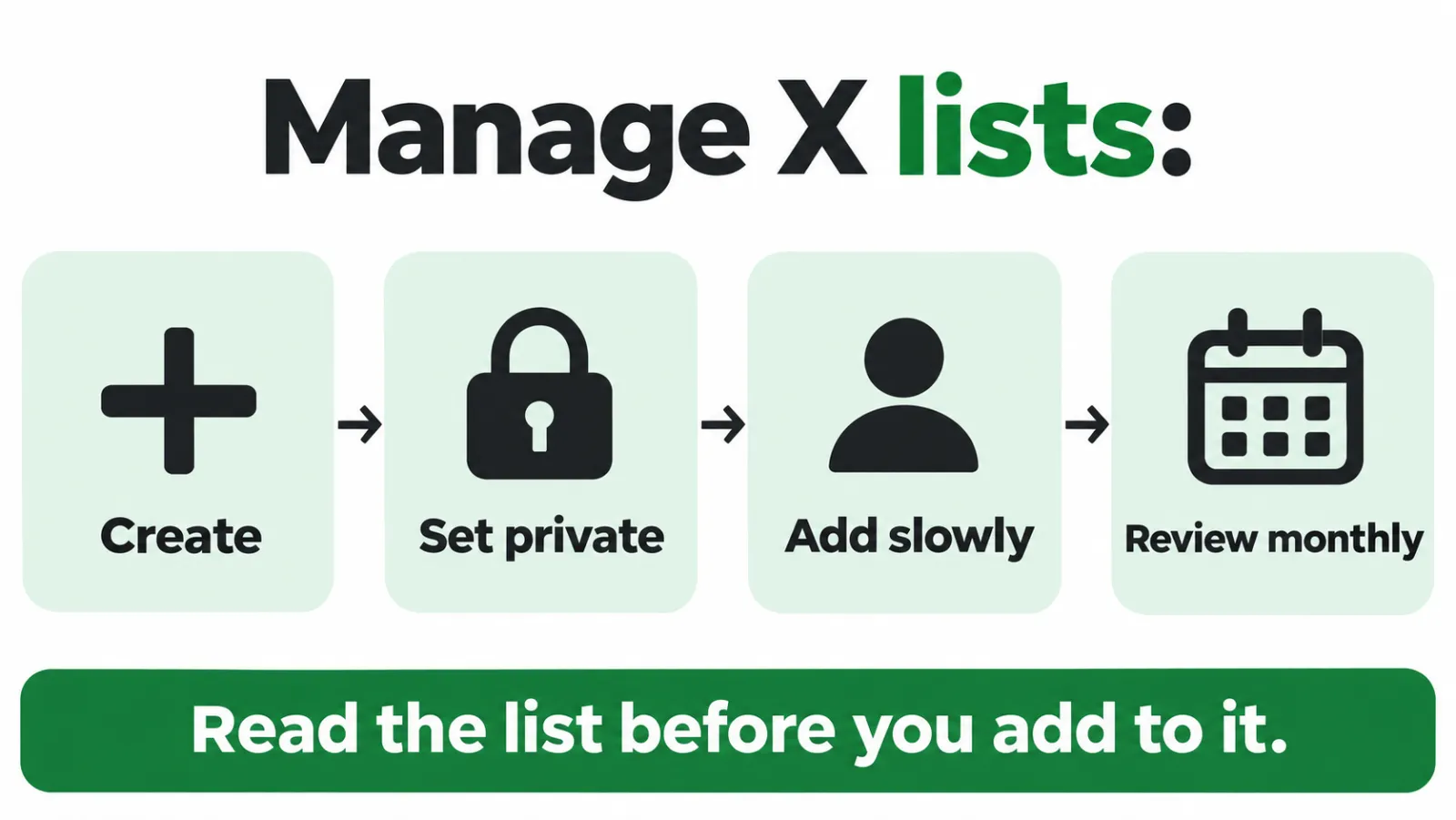
New lists are public by default. Switch the Private setting on before you add accounts you would rather not signal.
Review a list every month. Remove accounts that no longer match the topic, and add the ones that recently earned a reply.
Use the list for research and relationships. A list is a reading habit, not a growth tactic.
The main timeline on X is a mix. It carries posts from accounts you follow, posts the system thinks you will like, and posts from people you have never heard of. That mix is useful for discovery and tiring for research. If you want to follow a single topic, a list gives you a narrower feed of accounts you chose yourself.
This guide covers how to create a list, how to add and remove members, how to keep a list useful over time, and how to use a list for research and for relationships without turning it into a broadcast. The steps follow the X Help Center's guide to lists, and the limits are the ones the Help Center states. For the privacy choice on its own, see public vs private X lists, and for finding lists made by others, see how to find X lists worth following.
Createalist
The X Help Center describes the steps. Tap your profile icon, tap Lists, then tap the new List icon. Give the list a name and a short description. The Help Center says a list name cannot exceed 25 characters and cannot begin with a number, so keep the name short and let the description carry the detail.
The Help Center says the default setting for a new list is public, which means anyone can follow it. To make the list visible only to you, drag the slider next to Private to on. Decide this before you add anyone.
The table is short because the decisions are short. The privacy setting is easy to miss, because you can add accounts before you notice the list is public.
Addandremovemembers
Adding a member is simple, and the discipline is in what you allow in. Add an account when you have read its posts for a while and can say why it belongs. An account that posts on the topic once a month is a weak member. An account that posts on the topic every week, and replies to other people in the same conversation, is a strong one.
Remove an account when it no longer matches the description. Accounts change. A founder who wrote about onboarding for a year may move to a different product, and the list should follow them out, or the feed fills with posts that no longer serve the topic.
The X Help Center also describes a view of the lists you are on, reached through Lists, then More, then Lists you're on. That view is useful for checking your own memberships, and for seeing where you appear. It does not change how the lists you own work.
Keepthelistusefulovertime
A list decays in the same way a follow list does. It starts with ten strong accounts and can end with forty, some of which post only once a quarter. The fix is a monthly review with three questions. Does each member still match the description? Did any member post something you would reply to in the last month? Is there a member you have stopped reading?
Read the last ten posts of each member, then decide. Keep the members who earned a reply. Remove the members who did not post on the topic. Add one new member if you found one worth reading, and leave the list alone if you did not.
Read the description. Check that it still says what the list is for.
Check each member's recent posts. Look at the last ten posts from each account, not the bio.
Remove the accounts that no longer fit. Do it without guilt. The list is for your reading, not for the other account.
Note the members who earned a reply. Those are the ones to follow more closely, and the ones to speak to in a conversation.
Add one new member at most. Growth of the list should be slow, so each addition gets a real read first.
Usealistforresearch
A list is a good instrument for research because it limits the voices you hear. If you want to know how a set of experienced founders talk about pricing, a list of ten of them shows that conversation without the noise of the rest of the timeline. You can read the list each morning, note the phrases that come up, and save the posts worth coming back to.
The research habit is to read the list the same way each time. Keep a short note of the posts that taught you something, and the words that appeared more than once. After a month, the note is a better guide to the topic than your memory of the feed. The same note can feed your own posts, so the list becomes a source of ideas and not only a feed.
Usealistforrelationships
A list also helps with relationships, because it keeps a set of people in view without requiring you to remember them. When a member posts something you can add to, a reply from you is more natural, because you already know what they care about.
The limit matters here. A broadcast through a list reads as a campaign, and it does not build the relationship you wanted. A reply to one post is the unit that works.
The monthly review is the step that keeps a list from decaying. Put the review in your calendar, not in your head, and keep the note from each review in the same place as the list description. After six months you will have a record of how the list changed, which accounts stayed, and which topics you stopped following. That record is more useful than the list itself.
Commonmistakeswithlists
Keeping the list public by accident. Check the Private setting before you add anyone.
Adding accounts in bulk. A list built in an hour is a list nobody reads. Add one account at a time, after you have read it.
Never reviewing it. A list without a monthly review decays into a feed of old posts.
Treating the list as a growth tool. Lists are for reading and for conversations. They are not a way to reach an audience.
Messaging the whole list. Replies to single posts are the unit that works.
Building too many lists. Three focused lists are easier to keep honest than many lists you open once.
Aworkedexample:alistforonetopic(illustration)
This is an illustration, made up for this guide, not a real list. Suppose you are writing about onboarding for small software products, and you want a list of accounts that talk about it in detail. You name it "onboarding, small SaaS" and describe it as "founders who explain how they changed signup and first use". You keep it private, because you do not want the accounts to see that you are tracking them yet.
In the first week you add three accounts. You read the last ten posts of each before you add the next one. One account posts about onboarding every few days, with numbers and screenshots, and you reply to one of its posts with a question about a step. Another posts mostly about fundraising, so it does not fit the description and you leave it out. The third posts once a month, so you wait a few weeks before deciding.
At the end of the first month the list has six accounts. You have removed two of them after the review, and you have replied to three posts. The list has taught you more than the timeline did, because each account stays on topic and each post is worth reading. That is the result to aim for. The list is small, the replies are specific, and the review keeps the list honest.
Edgecasestohandle
Some accounts are hard to classify. A company account and a person who runs it can both be good members, but they post differently, so decide which one the list is for and say so in the description. An account that posts about many topics may fit only part of the list, and you can keep it for one topic and drop it from the others.
A list can also grow stale when the topic itself changes. If the topic of a list is a tool that is no longer relevant to you, archive the list rather than keep reading it out of habit. The Help Center does not describe an archive feature in the page I could read, so the safe choice is to remove the members and let the list stay quiet, or to delete it if you do not need it.
Lists,searchandbookmarks
A list is a feed you curate, and it is easy to confuse with the other ways X keeps posts together. The X Help Center guide to lists describes the list as a set of accounts whose posts you see in one timeline. Bookmarks are different: the bookmarks guide describes saved posts that you keep for yourself, and a bookmark does not change who you follow or which accounts appear in a list. Keep the two separate in your workflow. Lists decide whose posts you read; bookmarks decide which posts you keep.
Lists also appear in search. The developer documentation for the search operators describes a list operator, which restricts a query to posts from accounts in a given list. That is the one place where a list becomes a search filter rather than a feed, and it is the reason to name lists clearly. A list called "AI" is easy to recognise in a query; a list called "Stuff" is not.
The name limit matters for the same reason. The Help Center says that a list name can be up to 25 characters and cannot begin with a number. Choose a short name that says what the list is for, because you will see the name in your lists settings and in any search that uses the list operator.
When you build a list for research, keep a note of the query you use with it. The advanced search guide lists the fields the search form offers, and the note lets you rerun the same check later, whichever form you used.
Lists are discoverable in a way bookmarks are not. The bookmarks guide answers the question directly: bookmarks are private and viewable only to you, and lists are "comprised of posts from other accounts by group, topic, or interest, and are discoverable." Before you make a list public, read the X privacy policy, which describes how X handles the information you provide when you use its services, and decide whether the list name and its members should be visible to others.
A list's visibility is not the same as the visibility of your posts. The X Help Center page on public and protected posts explains that protecting your posts limits who can read them. The X Help Center page on lists says that a list is only accessible to you when you drag the slider next to Private to on. Check both settings separately.
WherePostMinefits
PostMine's Feeds page shows real posts from X with a reply box under each one, so a conversation you found in a list can lead straight to a reply. The list is the place where you read a set of accounts over time. The Feeds page shows posts from keywords or people lists you set. Use the list for the accounts you chose, and the feed for the wider set of conversations.
The product does not manage your lists for you, and it does not decide who belongs on them. Those are judgments only you can make, and the review each month is where they get made.
The default is public, which means anyone can follow the list. The X Help Center describes a Private slider that makes the list visible only to you.
I could not confirm that from X's pages, so do not assume members are or are not notified. Plan replies to individual posts rather than broadcasts.
As few as you read. Three or four focused lists are easier to keep honest than twenty that you open once.
Not for daily reading. A list shows the accounts you chose, and it misses the rest of your network. Use it alongside the timeline, for one topic at a time.
We use cookies for product analytics to improve PostMine. With your consent we also record session replays, including the content you type and view, such as draft posts (passwords excluded), so we can see how the product is used and fix what breaks. Privacy Policy




 Yerkebulan RakhimovNov 9, 20269 min read