Move bookmarks into a workspace with a fixed set of fields, so every row can be sorted, filtered and checked later.
Keep the link to the source post on every row, and check it before you repeat any claim from it.
Keep only what you use, and never redistribute stored posts at scale or use them to train models.
PostMine does not import bookmarks, so the workspace lives in your own tool and the drafts move into PostMine one at a time.
A bookmark export is a list of links. A research workspace is a list you can work with. The difference is fields, status and a source on every row, and most of the value comes from those three things. Moving bookmarks into a workspace is simple, but it is easy to do badly, so that the list stops being useful within a month.
This article describes the move in order: what to prepare, which fields to keep, how to import without losing the source, and which data rules apply to what you store. It does not assume that any tool syncs with X automatically, because I could not confirm that from the pages I could open.
Preparethelistbeforeyoumoveit
The move is a data handling step, so check the rules before you automate it. X's Help Center page on bookmarks says bookmarks are private and viewable only to you, and it describes no export. X's terms say you cannot scrape the Services without express written permission. If you use an app to move the list, X's automation rules make you responsible for what that app does with your account. The API pricing update, effective April 20, 2026, lists $0.001 per resource for an owned bookmark read, so check what a tool charges per read. When you check a saved row against the original post, advanced search can filter posts by words and dates.
Clean the list first, because a messy import is hard to fix. Start from the export or the copy you already have. Remove exact duplicates, delete the rows you already marked as deleted, and check the first and last rows against your notes. A small cleanup at this stage saves an hour later.
Decide the workspace before the move. The workspace should be a tool you open every week, because a list you never open will drift out of date. A spreadsheet is a workable choice. A notes database works if you already use it daily. Choose one, and do not split the list across two tools, because a row in one tool will not know about the status in the other.
Remove duplicates and rows already marked as deleted. Keep one row per post.
Prepare the fields. Create the columns before you import: source link, author, saved date, reason, topic, status and next action.
Move a small batch first. Import twenty rows, check every field, then move the rest.
Check the source link on each row. A link that no longer opens should be marked as referenced or deleted, not left as kept.
Set the weekly review to use the workspace. The sort happens there, not in the raw export.
Thefieldsthatmaketheworkspaceuseful
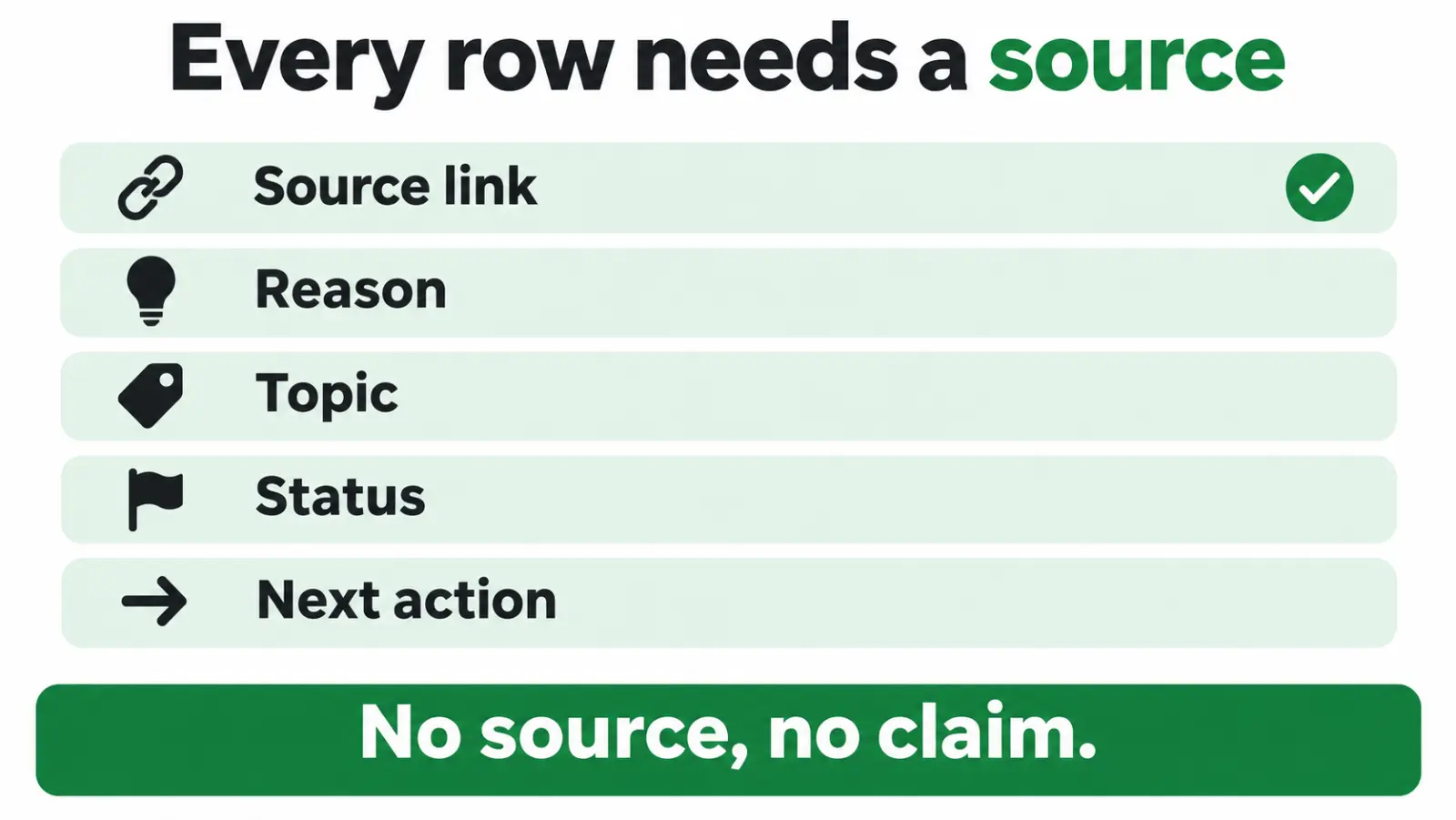
Every row needs a source link, because the link is how you verify a claim. Keep the fields short and fixed, so that you can sort and filter them. Four fields carry most of the value.
Source link. The address of the original post. Every other field depends on it, because it lets you check a claim before you repeat it.
Author and saved date. The account that wrote the post and the day you saved it. These two fields tell you how old a row is and who to credit if you quote the idea.
Reason and topic. The reason the post matters, in one sentence, and a topic from a fixed list. The same list you use for sorting should be the one that filters the workspace.
Status and next action. Kept, drafted, referenced or deleted, plus the concrete next step.
Aworkspacerow,withillustrativevalues
Field
Examplevalue
Whyitisthere
Sourcelink
Thepost'saddressonX
Letsyouchecktheclaimbeforeyouuseit
Author
Theaccountthatwroteit
Letsyoucredittheideacorrectly
Saveddate
Thedayyousavedit
Showshowoldtherowis
Reason
Givesaconcreteexampleforamistakessection
Explainswhyyousavedit
Topic
Scheduling
Letsyoufilterbytheme
Status
Kept
Letsyoufindtherowsthatneedadecision
Nextaction
Draftonesectionthisweek
Turnstherowintowork
The example row is an illustration with made-up values. The point is the shape: every row has a source, a reason and a next action, and the status says what to do next.
The rules for what a workspace may hold come from X's developer guidelines, which list bookmarks as fine for personal use, prohibit using X data to train machine learning models, and set 1.5 million Post IDs per 30 days as the redistribution line. The 2022 bookmarks announcement names Notion and Trello as examples of connected tools. The export reference describes the read that a workspace import would depend on.
Checkeveryclaimagainstitssource
A saved post can quote a number or a study, and the quote may be wrong. Before you repeat any claim from a workspace row, open the source link and check the claim against the original. If the original is a study, open the study rather than a summary of it. If the original is a post that cites a source, follow the citation to the document.
Record the check in the row. A status of "kept, checked" is different from "kept, not checked", and the difference matters when you come back to the row later. A claim that you could not check is a claim you should not repeat, however well it fits your argument.
Movethelistwithoutlosingthesource
Imports can drop the source link. Some copy and paste routes drop the link and keep the text. Check that the link field is filled on every row after the import, and count the rows that lack a link. If the number is above zero, fix it before you do anything else.
If a row has no source link, do not guess one. Mark the row as "no source", write the reason you saved it, and decide whether it is worth keeping. A row you cannot trace is a row you should not use for a public claim.
Aworkedmove,withillustrativenumbers
The following move is an illustration, not a real account. A founder has an export of 180 saved posts, and she wants them in a workspace with the seven fields described above. She has one afternoon, and she plans the move in four passes.
In the first pass she removes exact duplicates and the rows she had already marked for deletion. That takes the list from 180 to 152 rows. In the second pass she creates the columns and imports twenty rows as a test. She checks every field on those twenty, and she finds that the source link was dropped on three rows, because the first import used a copy route that kept only the text. She fixes the route, reimports those three, and confirms all twenty have a link.
In the third pass she imports the remaining rows and counts the blanks. Two rows have no source link, and she marks them "no source" and decides to delete them, because she cannot trace either one. In the fourth pass she sets the status for each kept row. Ninety-one rows become "kept", and the rest are "referenced" or "deleted". The workspace now holds 91 active rows, a number she writes at the top as her review limit.
The afternoon's work did three things. It removed duplicates, it checked the source link on every row, and it set a limit she can enforce in each weekly review. The move did not make the list complete or current. It made the list something she can check, which is the difference that matters for research.
Keeptheworkspacesmallanddated
A workspace that keeps growing stops being a workspace. Set a rule for how many rows you keep, and enforce it in the weekly review. The rule can be a number, such as one hundred active rows, or a time, such as rows older than six weeks move to an archive. Either works, as long as you apply it.
Date each change in the notes field, so that you can see what the workspace looked like when you made a decision. A dated note is the difference between a list that teaches you something and a list that only repeats what you already knew.
Thedatarulesforwhatyoukeep
The developer guidelines set the boundary for stored posts. They list bookmarks as "Fine for personal/automated use." They say nothing about storing copies. They prohibit using X data to train machine learning models, with an exception for Grok. They also cap redistribution, and name sharing more than 1.5 million Post IDs in a 30-day period as excessive. A personal research workspace of a few hundred rows is far from those limits, but it is worth knowing where they are.
Practical rules follow from that. Keep only what you use. Do not publish your workspace as a public dataset. Do not feed stored posts to a model that trains on them. If you share the workspace with a team, share the reasons and the links, and treat the saved posts as material for personal reference, not as a public archive.
Mistakesthatbreakaresearchworkspace
Mistake one: importing without fields. A list of links with no structure cannot be sorted or filtered, so it will sit unused.
Mistake two: dropping the source link. A row without a source is a claim without a check. Make the link field required.
Mistake three: keeping two copies in two tools. The copies will drift, and the status will disagree. Pick one workspace.
Mistake four: never archiving. A list that grows forever is read by nobody. Move old rows out each month.
Mistake five: treating the workspace as a publishing queue. A research row becomes a draft, and the draft goes to the queue when it passes review. The row itself should never be published.
Edgecasesinthemove
Deleted or changed posts. A saved post can disappear or change after you saved it. When you check the source link and find a change, record the change in the notes, and mark the row as referenced rather than kept.
Threads. A thread is several posts. Store the thread as one row with its first post as the source link, and note how many parts it has.
Media. Images and videos in a saved post may not survive a move. Store the source link, and keep any media you need as a separate file with its own row.
Language. A saved post may be in a language you do not read well. Add a language field, and mark rows that need a translation check before you use them.
HowPostMinefitstheworkspace
I build PostMine, which this article mentions.
PostMine does not import your bookmarks. Its privacy text says it no longer reads your X bookmarks, and that imported bookmarks are not displayed on any screen, and Home recommendations do not use them. The workspace stays in your own tool. When a row becomes a draft, write it in PostMine's composer, keep it in Drafts while you review it, and schedule it when it passes.
The organize guide explains the sort that feeds the workspace, and the export guide explains the routes for getting the list out of X in the first place. The batch guide shows how drafts from the workspace move into a queue.
Keepingrowshonestafterthemove
The move is a snapshot, and rows change after it. Posts are edited, deleted or moved to new accounts, and the claims you copied can go stale. Set a simple rule for the first month after the move: open the source link for every row you use in a draft, and write the date of the check next to the row. A row with an old check date is a row to recheck before you repeat any of its claims.
The export guide explains why an export is a snapshot, and why a later export will not always match the first one. Treat every move the same way. Note the date, the source and the check, and assume that the workspace shows what you knew on the day of the move, not what is true today.
Use one you already open every week. A spreadsheet, a notes database or a project board all work, as long as each row has fixed fields and a source link. X's 2022 developer announcement names Notion and Trello as examples of tools a developer can connect to bookmarks.
I could not confirm a sync feature from the X pages I could open. Plan on a manual move or a scheduled export that you run yourself, and treat the workspace as a snapshot.
Not from the bookmark row. Write a draft in PostMine's composer, keep it in Drafts while you review it, and schedule it only when it passes.
The developer guidelines list bookmarking as "Fine for personal/automated use." They say nothing about storing copies, and copies pulled through the API carry deletion duties. Do not redistribute stored posts at scale or use them to train models, because the guidelines prohibit both.
We use cookies for product analytics to improve PostMine. With your consent we also record session replays, including the content you type and view, such as draft posts (passwords excluded), so we can see how the product is used and fix what breaks. Privacy Policy




 Yerkebulan RakhimovNov 9, 202610 min read