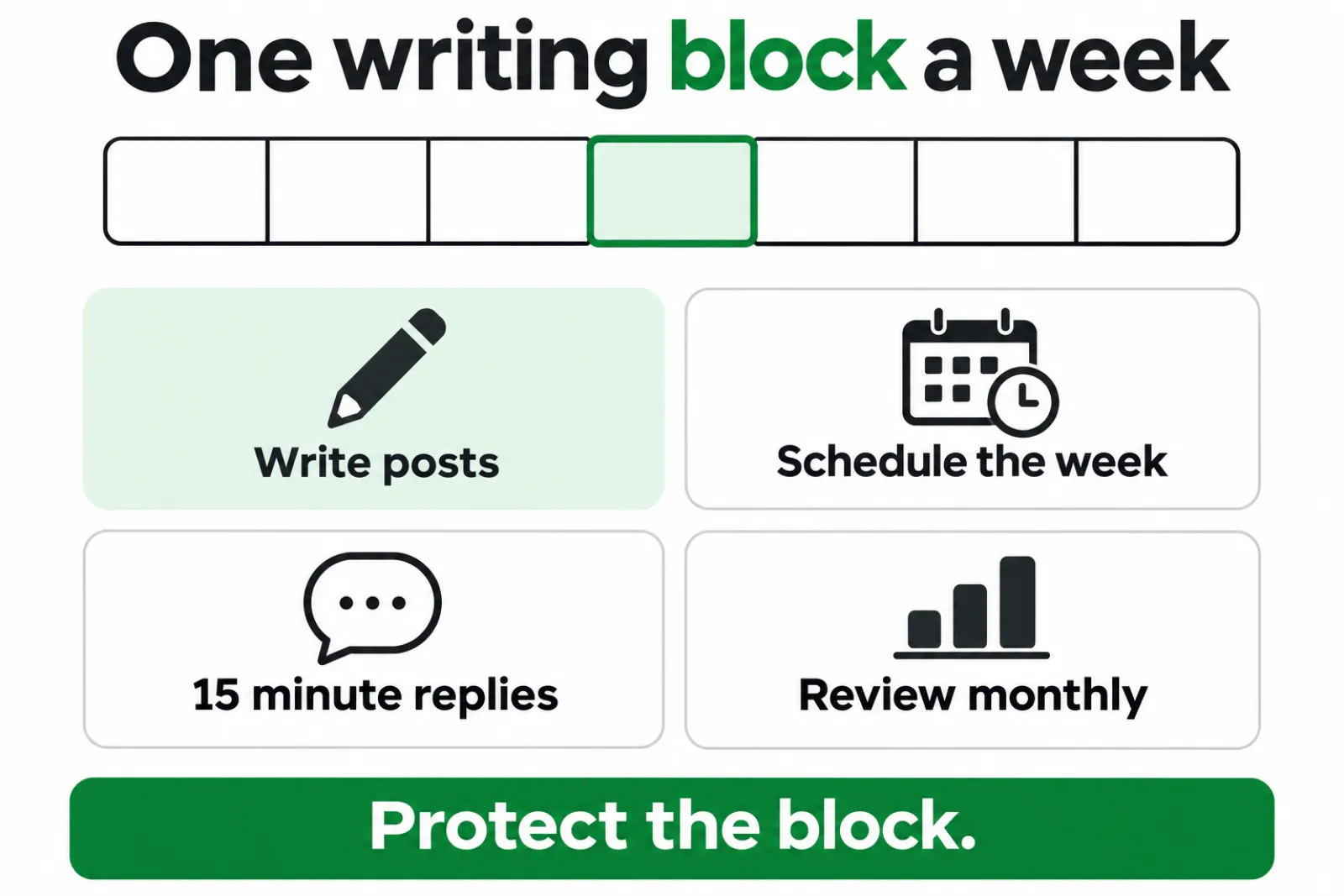
Two planned blocks a week can carry an X presence if the posts are written in advance.
Scheduling separates writing from being online, so the account keeps a rhythm on busy days.
A reply block of fifteen minutes beats an all-day feed, because each reply needs one point, not a long session.
Measure the hours you spend against the conversations they start, and cut the block that produces none.
Most advice about X for business assumes someone has all day. The advice says to post daily, reply to everyone, watch the feed and jump on trends. A business owner who also runs sales, product and support cannot do that. The account either gets neglected or it eats the week.
This article sets out a smaller version that a busy business can keep. It uses one planned writing block a week, scheduled posts for the rhythm, a short reply routine and one measurement review. It also covers what to publish in the block, what to skip, and how to judge whether the time is paying off. The examples are made up, and the limits quoted are from X's own documentation.
Why"allday"isthewrongmodel
In my view, X rewards specific conversations more than volume. A post with a clear point and a few real replies does more for a business than twenty posts that nobody answers. The time you spend in the feed is not the same as the time you spend in conversations, and much of the feed time is reading that never leads to a reply.
A busy business needs a model where each minute has a job. Writing is one job, replying is another, and reviewing is a third. When the three are separated, each one can be short and focused. When they run together all day, the account drifts, and the business owner feels guilty about posts they never wrote.
Separate writing from being online. Write when you have time, publish when readers are there, and reply in a block you protect.
Blockone:writetwoweeksofpostsinonesitting
Pick a block of ninety minutes once a week. Use it to write posts for the next several days. Each post should carry one finding, one mistake or one choice from your business, and a question you actually want answered. A good block produces five to seven posts.
Write the posts by hand. A draft from a template often reads like a press release, and readers can tell. Read each post out loud before you schedule it, and cut the sentence that sounds like marketing. If a post cannot name one specific detail, drop it and write a different one.
Keep the length within the limit you use. Free accounts have a 280-character limit per post, and Premium accounts allow up to 25,000 characters, according to X's help page on X Premium. Links count as 23 characters each, according to X's developer documentation on counting characters, so a post with a link has less room than the raw count suggests.
Blocktwo:schedulethepostsandlettherhythmhold
The writing block only helps if the posts go out on time. Scheduling separates the writing from the moment of publishing. It lets the account keep a rhythm on a week when you are in a sales call or a support queue.
X's help page on scheduled posts describes scheduling through the Composer on ads.x.com, and it lists the steps, according to X's help page on scheduled posts. If you use a third-party tool, check that it does not automate engagement, and read X's automation rules before you connect it.
PostMine's Queue schedules the posts you wrote for your next free slot or for a time you choose, and can add up to 5 minutes of random variation to each slot. Nothing publishes without your action or the schedule you set, and a post goes out only after you slide to publish.
Monday
Writing block
Tuesday
Read and schedule
Daily
Fifteen-minute reply block
Friday
Monthly review, weekly check
Blockthree:thereplyroutine
Replies are the cheapest way for a business account to reach buyers who already talk about the problem. The routine should take fifteen minutes. Pick posts from a short list of accounts your customers follow. Read each post in full, then reply only if you have one specific detail and one point.
X's help page on mentions and replies says you can join conversations "by replying to others and by mentioning them in your own posts" (X Help Center: Mentions and replies). The routine uses the reply, and the monthly log tracks the mentions that come back. X's help page on conversations also lists the participant usernames when you reply, so you can check who is in the thread before you answer (X Help Center: Conversations).
Do not reply to every post. A business that replies with a sales line under each post reads as spam, and the reply often does not reach the person who asked. A reply that says what you have seen in your own work, with a detail from the post, reads as a person who knows the subject.
The routine needs one review a month, not a daily dashboard check. Keep a short log with three columns: hours spent in each block, conversations started and customer questions that came in. A conversation is an exchange with more than one reply from someone who matches your buyer.
X's help page on the Post Activity Dashboard says the dashboard shows the last 28 days by default, with impressions, engagements and an earned engagement rate for each post, and that you can export the post-level data as a CSV file (X Ads Help Center: Post and Video Activity Dashboards). Use that export for the monthly review. Opening the dashboard every day gives you a number that changes without telling you what to do.
At the end of the month, compare the blocks. If the reply block produced conversations and the writing block produced none, shorten the writing block and reply more. If the posts got the conversations but the replies did not, keep the posts and change the reply list. Change one thing at a time, so the next month tells you what worked.
Amonthlylogforabusybusiness,made-upexample
Block
Hoursinthemonth
Conversationsstarted
WhatIchangednext
Writing
6
Fourpostsgotrealreplies
Keptthetopic,wroteonemorepostaweek
Replyroutine
4
Twoconversationswithbuyers
Replacedthreeaccountsonthelist
Review
1
Notapplicable
Keptthereplyblockasitwas
The table is an example of the log, not data. The point of the log is to decide what to cut, and the review should take fifteen minutes once a month.
Wheretheadvicedisagrees
Some advice says a business should post every day to stay in the feed. Some says the account should go quiet until there is something big to share. Some says the owner should personally run the account at all times. I think the honest answer for a busy business is a steady, small routine that the owner can keep. A quiet account that posts three specific posts a week may build more trust than a loud account that disappears after a month.
Daily posting has its own record. One founder posted on X every day for 30 days and wrote that the account got "200K impressions. 30 followers. What am I doing wrong?" before they stopped on day 31 (r/buildinpublic thread). The poster says they built builtinpublic.xyz and pitch it in the thread, so this is one builder's account, not a business's. The thread does not measure what those posts cost.
A thread on r/TwitterMarketing asks the same question about bigger accounts (thread). That is the same check as the monthly log. Count the buyers in the replies, not the size of the account.
Commonmistakes
Planning daily posts you cannot write. A missed day breaks the rhythm more than a planned lighter week does.
Scheduling posts you have not read. A scheduled post that reads like an advert is harder to recover from than a late one.
Replying with a sales line. A pitch under someone else's post reads as an interruption.
Reviewing too often. A daily check of the numbers creates noise. A monthly review gives you enough data to decide.
Automating engagement to save time. Bulk likes, follows or replies break X's rules, and they do not start conversations.
Aquietmonthandwhatitteaches
When a month is quiet, count the blocks first, then the replies, then the inbox, and change one thing at a time. The log should show which of those three is the problem.
KeepthereplylistinaList
X's help page on Lists says you can create Lists of other accounts "by group, topic or interest" (X Help Center: Lists). A List of the fifteen accounts in your reply block turns the daily routine into one screen, so the fifteen minutes go to reading and replying rather than hunting for accounts.
The list size is a working limit you set, not an X rule. Keep it small enough that the fifteen minutes still fits. X's help page on Lists also says Lists let you customize, organize and prioritize the posts you see in your timeline.
X also counts logged-in views on any surface, according to X's help page on view counts. A view total can rise while your buyers never reply, so put the replies and the conversations in the monthly log first, and read views as a secondary number.
HowtoapplythisinPostMine
PostMine helps with the scheduling and the record. It does not write the posts for you, and it does not send replies for you. It can draft a reply when you press Generate, and nothing is sent without your action.
Queue schedules the posts you wrote, in List or Calendar view, and publishes each one at the time you schedule it. Publish opens a review, and you confirm with Slide to publish.
Feeds builds a feed from up to five keywords or from people lists. In the app you can also build one from your followers, the accounts you follow, repliers or an X list. You read each post and reply inline with the Reply button.
My Replies lists the replies you sent and how each performs, which is the starting point for the monthly log.
Analytics shows account trends, with account overview CSV import for past days and a daily export.
There is no number from X. Choose the number one person can write with a point and keep for a quarter. Three specific posts a week are often easier to sustain than a daily post.
X's help page on scheduled posts describes scheduling through the Composer on ads.x.com. Check the current steps on that page before you rely on any schedule.
A scheduler can publish posts you wrote, but automated engagement such as bulk likes or automated replies is governed by X's automation rules. Read them before you connect any tool.
Log the hours and the conversations each week. If a block produces no replies from people who match your buyer for a month, change that block first.
We use cookies for product analytics to improve PostMine. With your consent we also record session replays, including the content you type and view, such as draft posts (passwords excluded), so we can see how the product is used and fix what breaks. Privacy Policy




 Yerkebulan RakhimovNov 8, 202613 min read