Profile clicks from a post show interest in the author, and follows from the post show that the interest became a follow.
The native numbers do not show the profile visitors who never clicked a post, so profile analytics always has a gap.
Read profile clicks and follows per post, in the same format, and change the profile only after the posts are steady.
A conversion from profile to follow is a rate you compute, and it is only useful with both inputs written down.
A profile is the place a reader goes after a post has made them curious. The first screen is the first thing a reader sees: the photo, the name, the bio and the pinned post. X's native analytics shows some of what happens after the click, but not all of it. This article explains what the profile numbers are, how to read them as a path from post to profile to follow, and where the path has gaps that the native numbers cannot fill.
The definitions come from X's Business Help pages. The conversion rate I suggest is a calculation of mine, and I label it that way. The aim is to make the profile readable, not to promise a conversion figure X does not publish.
Whatthenativenumbersmeasure
The Post Activity Dashboard gives you actions for each post, and two of them matter for the profile. Profile clicks are the clicks on the name, @handle or profile photo of the post's author. Follows from a post are the times someone began following you directly from that post (X Business Help: Post and Video Activity Dashboards).
Those two numbers are both post-level. They tell you what each post did for the profile. They do not tell you what visitors did on the profile, which posts they read after the first screen, or how many people looked at your profile without coming from a post. For that, the native view is incomplete, and any claim that it is complete should be checked on your own dashboard.
X's account-analytics page, as captured on 2026-11-09, says "See your profile analytics, understand your audience and more. Upgrade to continue" (x.com/i/account_analytics). The profile-visit numbers sit behind that upgrade, and I did not see them, so I do not quote a total. I did not find a visitor list in X's pages I could read, and X does not list the accounts behind profile visits in the sources I checked.
Thepathfromposttofollow
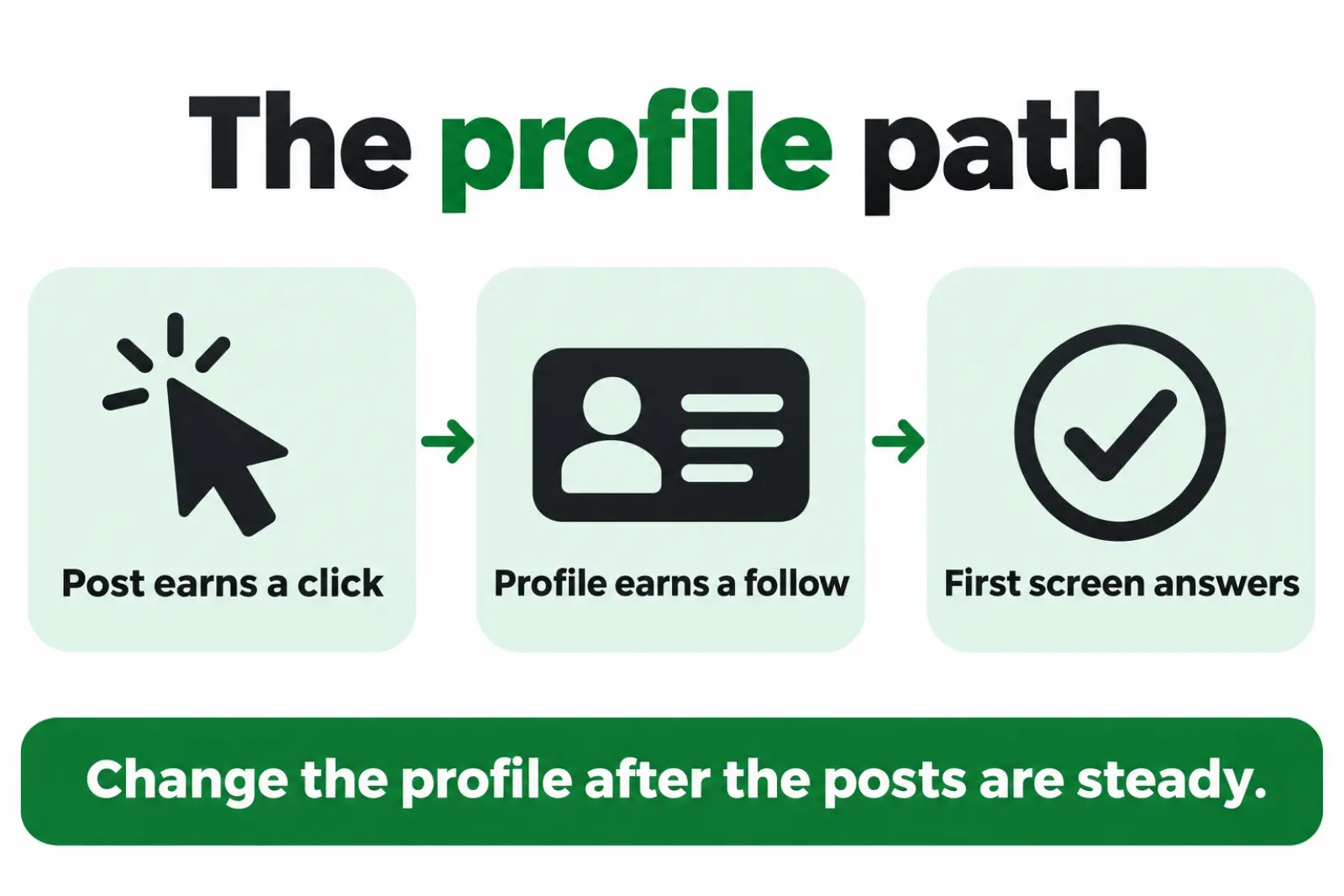
Read the profile as a path with three steps. The native numbers cover two of them, and the first screen covers the third.
The first step is the post's job. A post that earns profile clicks has made someone want to know who wrote it. The second step is the profile's job. A profile that earns follows answers the question the reader arrived with, in the first screen, and gives a reason to keep reading. The third step is the one the native numbers do not show, so it needs your own check.
Computeaprofile-to-followrate
You can compute a rate from two native numbers: follows from a post divided by profile clicks from the same post. It is not an X metric, so label it as your own calculation. It shows, for each post, how many of the readers who came to the profile from that post decided to follow.
Write both inputs beside the rate. A rate of 20 percent on five profile clicks is one follow, and it can be a fluke. The same rate on 200 profile clicks is a real result. Read the rate across posts of the same format, and keep the sample visible.
Record profile clicks and follows from the post for each row, with the format and the first line.
Compute the profile-to-follow rate as follows divided by profile clicks, and write both inputs.
Read the median for the format, not the average, so one unusual post does not set the baseline.
Change the profile only after the posts are steady. If the posts vary, the profile test will be noise.
Readthepathbeforeyouchangetheprofile
The profile is the step you can change, and it is tempting to change it first. I do not, for a practical reason. A profile change affects every visitor from now on, so its effect is only readable if the posts that send visitors are steady. If the posts change at the same time, the numbers cannot tell you which change worked.
So I read the path in this order. First the profile clicks per post, to see whether the posts earn curiosity. Then the follows per post, to see whether the profile converts it. Only when the clicks are steady and the follows are low do I change the profile, and I write the date so the next read has a before and after.
Whatthefirstscreendoestothenumber
A profile-to-follow rate that falls after a bio change is not always a bad bio. It can be a different group of visitors, because the post that sent them changed. A reader who arrives from a viral reply does not look at the profile the way a reader who searched for you does. That is why the rate should be read with the format and the post, not on its own.
The first screen has five jobs in a few seconds: the photo, the name, the bio, the banner and the pinned post. The profile audit checklist covers each one, and the bio ideas article covers the bio line in depth.
Commonmistakes
Reading profile clicks as followers. A click is interest, and a follow is a decision.
Changing the bio during a volatile week. The change cannot be read against a moving baseline.
Using a conversion rate on a small sample. Five clicks is not a rate you can act on.
Treating the native numbers as complete. They do not show visitors who never came from a post.
Comparing a thread's profile rate with a single post's. The formats send different readers.
Works
Profile clicks and follows read per post
A rate written with both inputs
The median of the same format as the baseline
The profile changed after the posts are steady
Avoid
A profile rate read on five clicks
A profile change during a viral week
Profile clicks read as followers
The native numbers treated as the whole profile
Aworkedexample,labelledasanillustration
The example below is made up and does not come from any account. A founder has two single posts in a week. Post A has 80 profile clicks and 4 follows, a rate of 5 percent. Post B has 12 profile clicks and 3 follows, a rate of 25 percent. Post B looks better, but the sample is small, and post A has the more reliable result. The founder waits for two more single posts with a similar number of clicks before deciding whether the profile answers the question for that reader.
The lesson is the sample, not the rate. A high rate on twelve clicks is a hint, and a rate on eighty clicks is a finding.
Profileclicks,thenameandthephoto
The profile-click number needs one caution. The dashboard defines a user profile click as a click on the name, @handle or profile photo of the post's author (X Business Help: Post and Video Activity Dashboards). A profile click on an organic post is the closest native number to a visit from that post, and it can include readers who tapped your name or photo without any intent to read further. X's view counts page is a separate count, so keep views in their own column (X Help Center: View counts).
So a high profile-click count tells you the post made people look at you. It does not tell you the profile answered their question. That is why the path has three steps, and why the third step, the first screen, is the one you read yourself.
Thepinnedpostandthefirstscreen
The first screen includes the pinned post and the profile fields. X's profile help page lists the fields you can edit, including the bio, the website, the header and the photos (X Help Center: Customize your profile). X's pages I could open give no refresh schedule for the pinned post, so any quarterly check is your own schedule, not an X recommendation. The account page at x.com/i/account_analytics asked for an upgrade in the copy saved on 2026-11-09, so check your own access before you plan around it.
For the profile-to-follow path, the pinned post matters most in the weeks right after a format change. If the pinned post still shows an older format, the profile clicks from new posts land on a page that does not match the posts. Check the pinned post at the same time as you read the path, and write the date of any change so the next read has a clean before and after.
X's marketing page also points to an audience insights view that covers the people who engage with your posts, including demographics and interests (X Marketing: Measure results). If you can open that view on your account, read it next to the profile path, because it can show whether the visitors who click through match the audience you intend to reach. I could not open it in the pages I checked, so verify access before you rely on it.
Wheretheprofilepathmeetstherestofthedashboard
The profile path depends on numbers that sit in different places on X, so it is worth knowing which page owns each one. The Post Activity Dashboard holds the post-level actions, including the profile clicks and the follows that came from each post (X Business Help: Post and Video Activity Dashboards). Brandwatch, a third-party vendor, says X's analytics includes clicks in its engagements metric, so profile clicks also move that total (Brandwatch: X content metrics). The path should use one export throughout.
The view count sits on the post itself, and X defines it as logged-in views on any surface, repeat views included (X Help Center: View counts). A view is not a profile visit, so a post with many views and few profile clicks is a reading problem in the first step, not in the profile. Keep views in their own column, and read the profile clicks against impressions for the same post.
Two of the profile's own fields come from X's help page. The bio is limited to 160 characters, and the profile photo and banner have recommended sizes of 400 by 400 pixels and 1500 by 500 pixels (X Help Center: How to customize your profile). When a profile change is tested, those fields are the inputs, and the sizes matter because a photo that crops badly on a phone changes the first screen a visitor sees.
X's marketing page points to an audience insights view for the people who engage with your posts (X Marketing: Measure results). If that view is available to your account, it is the closest native source for checking whether the visitors from the path match the audience you want, and the comparison belongs in the monthly review.
Whereaprofilechangeshouldwait
A profile change is a test of one step in the path, and the test needs the other steps to stay still. The posts that send visitors should be steady, and the path should be read from one export throughout. The December 2024 analytics update that X Subscriptions pointed to listed a follows-over-time widget (@ZachWarunek's update), which is a reason to read follows as a trend. If the source changes in the middle of the test, the change cannot be read.
The bio and the photo are the fields that matter most, and their limits are published by X: 160 characters for the bio and recommended sizes for the images (X Help Center: How to customize your profile). A change that respects those limits is a change to the content, and a change that breaks them is an error to fix before anything else.
WherePostMinefits
PostMine's Analytics page shows your account's trends, and it can export the daily CSV, so a profile-to-follow rate can be read against a trend rather than one post (PostMine quickstart). The profile itself stays on X, where you edit the fields. PostMine's Context holds About You and the Style Guide, which steer the drafts, so the posts that send visitors to the profile stay in line with the bio.
The Post Activity Dashboard reports profile clicks for each post, which are clicks on the name, @handle or profile photo of the post's author. I could not confirm an account-wide profile-visit total in the pages I could open, so use the per-post profile clicks and check your own account page.
Follows from a post divided by profile clicks from the same post. It is a rate you compute, not an X number, and it needs both inputs written beside it.
Profile visits include readers who looked and left, and follows include readers who decided after a visit or after a later post. The two numbers measure different steps, so they never match exactly.
Wait 36 hours, because X says its systems can take up to that long to stabilize. Then compare posts of the same format.
We use cookies for product analytics to improve PostMine. With your consent we also record session replays, including the content you type and view, such as draft posts (passwords excluded), so we can see how the product is used and fix what breaks. Privacy Policy




 Yerkebulan RakhimovNov 9, 202613 min read